
Each field that Drupal displays also has a field.html.twig template that it uses. We can override this template like we did with both the Node and Block templates. All we need to do is identify the path and the filename suggestion to use.
Begin by inspecting the Learn more link and identify which template is being used:
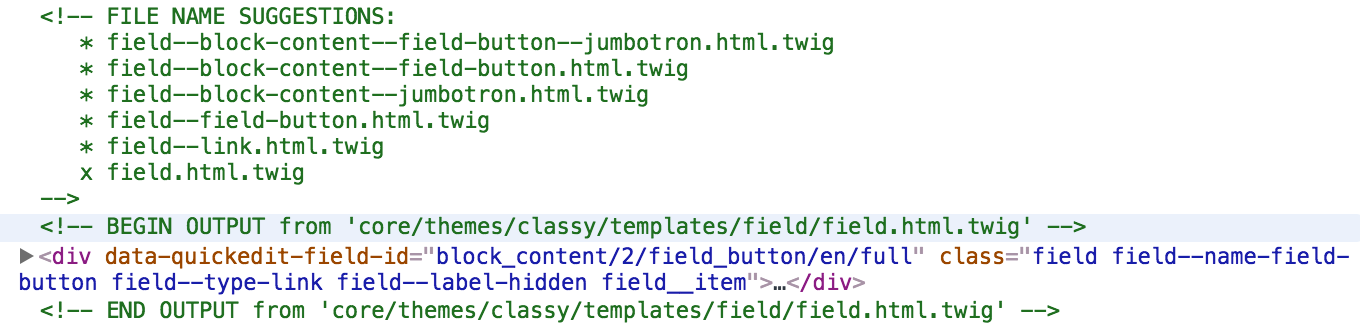
Based on the Twig comments, we know the exact location of the Twig template and that Drupal is using the base field.html.twig template. With this information, we can override the template by following these steps:
- Copy the field.html.twig template from /core/themes/classy/templates/field/field.html.twig.
- Paste the copy into /themes/twiggy/templates.
- Rename field.html.twig to field--field-button.html.twig.
Make sure to clear Drupal's cache and then refresh our page within the browser. Drupal is now using our copy of the template and we can proceed by modifying the markup as needed.
Open field--field-button.html.twig and replace the markup with the following:
{% for item in items %} <a class="btn btn-primary btn-lg" href="{{ item.content['#url'] }}" role="button">{{ item.content['#title'] }}</a> {% endfor %}
To explain in a little more detail what is taking place in the markup we just added, we need to understand how fields in Drupal work. First off, since we have the ability when creating fields to limit a field to a specific instance, limit a field to a numbered instance, or set the field to be unlimited instances, Drupal has no idea which one we chose without looping through the fields. Therefore, we use a Twig loop within the field template to determine the number of times the markup should be printed.
Next, since our button contains two different values that we need to access, one for the URL and another for the title, we must traverse the item.content variable and grab the array's value for each one. While a little more complex than previous Twig variables, this also has the power of being able to access whatever values we need within Twig templates.
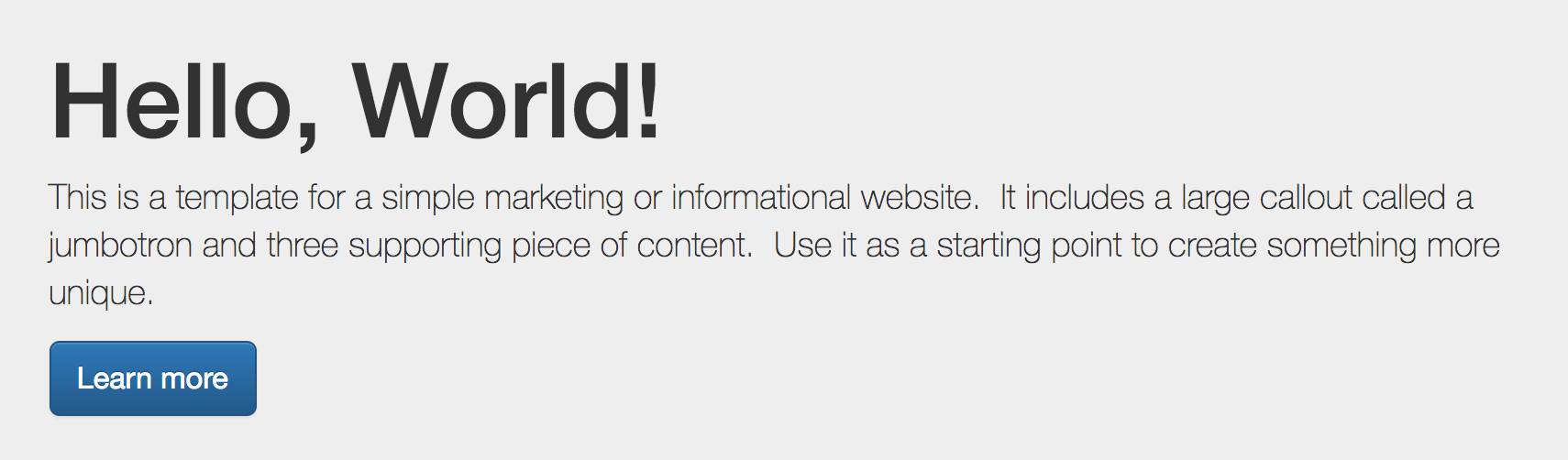
If we take one last look at our Jumbotron, we will see that it now matches the mockup we reviewed earlier:
Congratulations, we are on our way to mastering Twig templates. While this is just a sample of what you can do with Twig, it warrants mentioning that if you want a deeper dive into taking a project from start to finish, make sure to look at Drupal 8 Theming with Twig, another great book by Packt.