
Another important section of basic site configuration deals with performance. Performance can be considered to be how content is cached and aggregated. Drupal provides various settings that allow us to cache Blocks, Views, and Pages of content. In fact, a lot of work has been done to ensure that performance for internal page caching as well as dynamic page caching is top notch. Drupal has even added core modules to manage this.
However, unless we manage the settings for caching properly, none of these improvements will help us.
If we navigate to /admin/config/development/performance, or use the Admin menu and click on Configuration | Performance, we can take a look at the values we can set:
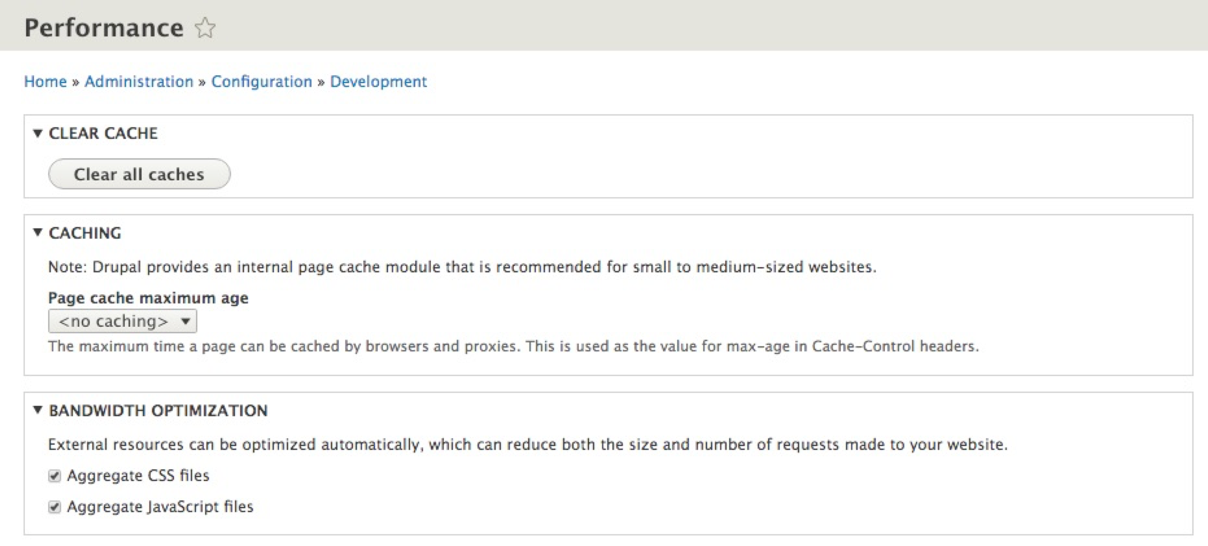
Performance can be divided into two sections:
- CACHING: The maximum time, a page can be cached by browsers
- BANDWIDTH OPTIMIZATION: How CSS and JavaScript files can be aggregated to reduce the size and number of requests
Both sections can be enabled and disabled depending on the values set for each. If we want to enable caching, we simply need to specify a Page cache maximum age, which can range from one minute to one day. If we want to optimize CSS and JS, we simply need to ensure that each value is checked.