
Next, we need to add our new comment type as a field to our Post content type. Begin by navigating back to /admin/structure/types/manage/post/fields, or use the Admin toolbar and click on Manage - Structure - Content types then select the Manage fields button next to the Post content type.
We can now add our new Post Comment type by performing the following steps:
- Click on the Add field button.
- Choose Comments from the Add a new field dropdown.
- Label: Post Comments.
- Click on the Save and continue button.
- Choose Post Comment Type from the Comment type dropdown.
- Click on the Save field settings button.
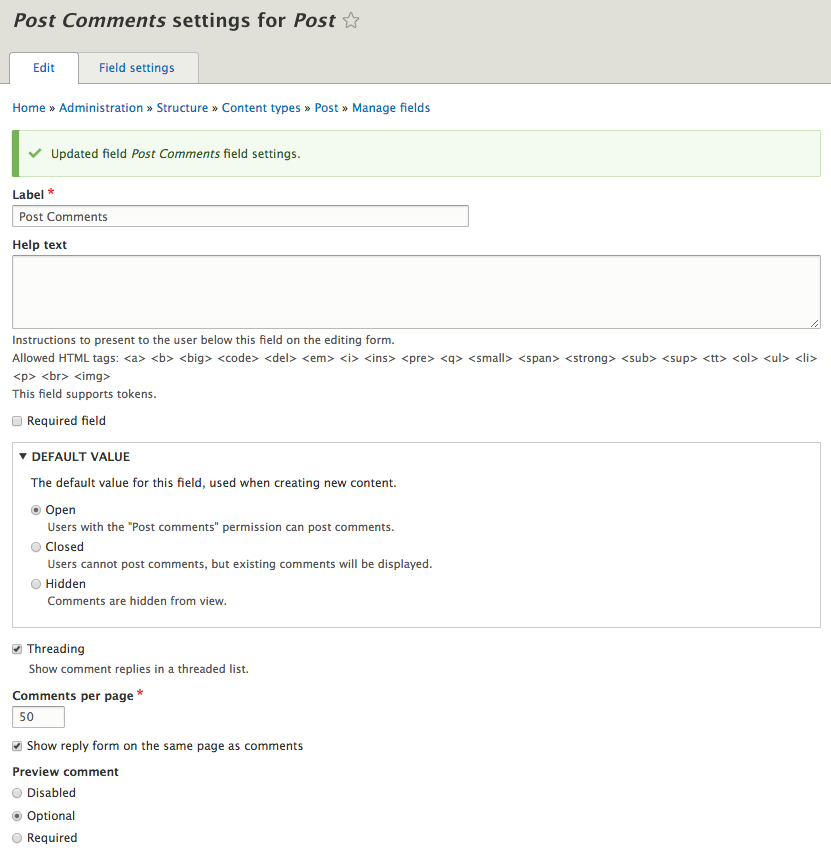
This screen may look somewhat familiar. The comment option that were part of the content type configuration in Drupal 7 are now part of the field settings. While we will leave the default settings, we do have the option to specify whether comments are open, closed, or hidden by default, whether we want to show threaded replies, and the number of comments to show per page.
For demonstration purposes, we can click on the Save settings button to complete the addition of our comment field.