
Web fonts are a common use case when creating any theme and we can take full advantage of Google Fonts by adding it to the head of our document. The external reference allows our CSS to render the typography on various pages. The only problem is that currently we are not including the web fonts in our Drupal theme. Because we cannot download Google Fonts and use them locally, they need to be externally hosted. But how do we add externally hosted files to our twiggy.libraries.yml file? Let's take look at the following steps:
- Open twiggy.libraries.yml.
- Add the following entry:
       google_fonts: version: VERSION css: theme:
       //fonts.googleapis.com/css?family=Open+Sans:300,400:{ type:
       external }
- Save twiggy.libraries.yml.
- Open twiggy.info.yml.
- Add the following library reference pointing to the entry of our new Google Fonts:
libraries: - twiggy/bootstrap - twiggy/google_fonts
- Save twiggy.info.yml.
Make sure to clear Drupal's cache and refresh our home page. If we inspect the page, we should see our external reference to Google Fonts being loaded directly after Twitter Bootstrap.
Now that we have Bootstrap and Google Fonts in place, let's look at working with a few Twig templates that will allow us to convert our home page into something that looks a little more like the following:
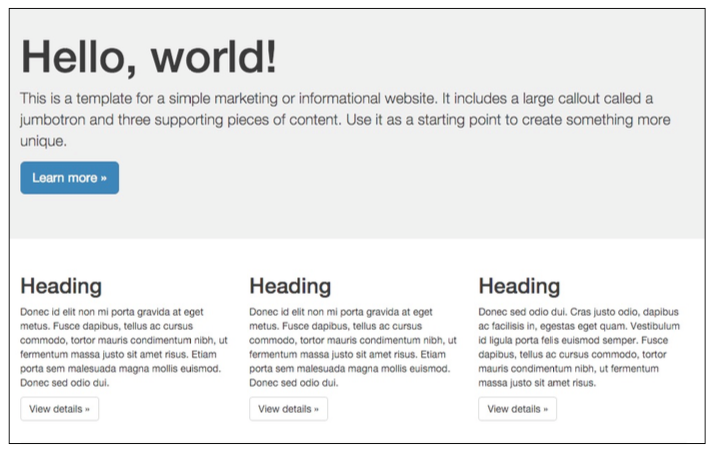
To have our content match the mockup above, we will need to work with various components of Drupal 8, including Pages, Nodes, and Blocks.