
The first tab, labeled Synchronize, allows you to see the state of any configuration that has been exported to the filesystem and compare it to the configuration currently in the database. Each configuration item that contains a difference is listed, along with a button to show the differences.
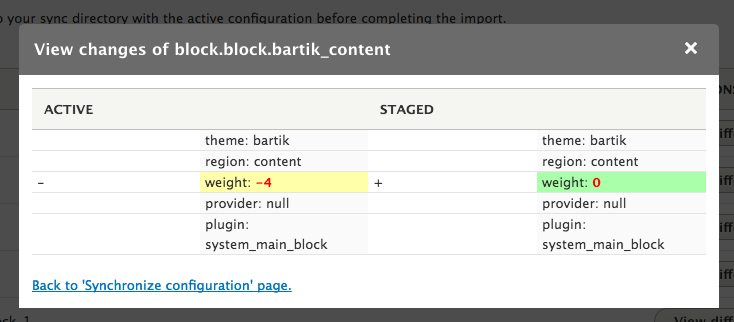
Synchronize configuration screen
Clicking on the View differences button opens up a dialog that shows the differences between the configuration in the synchronization directory and what is in the database.
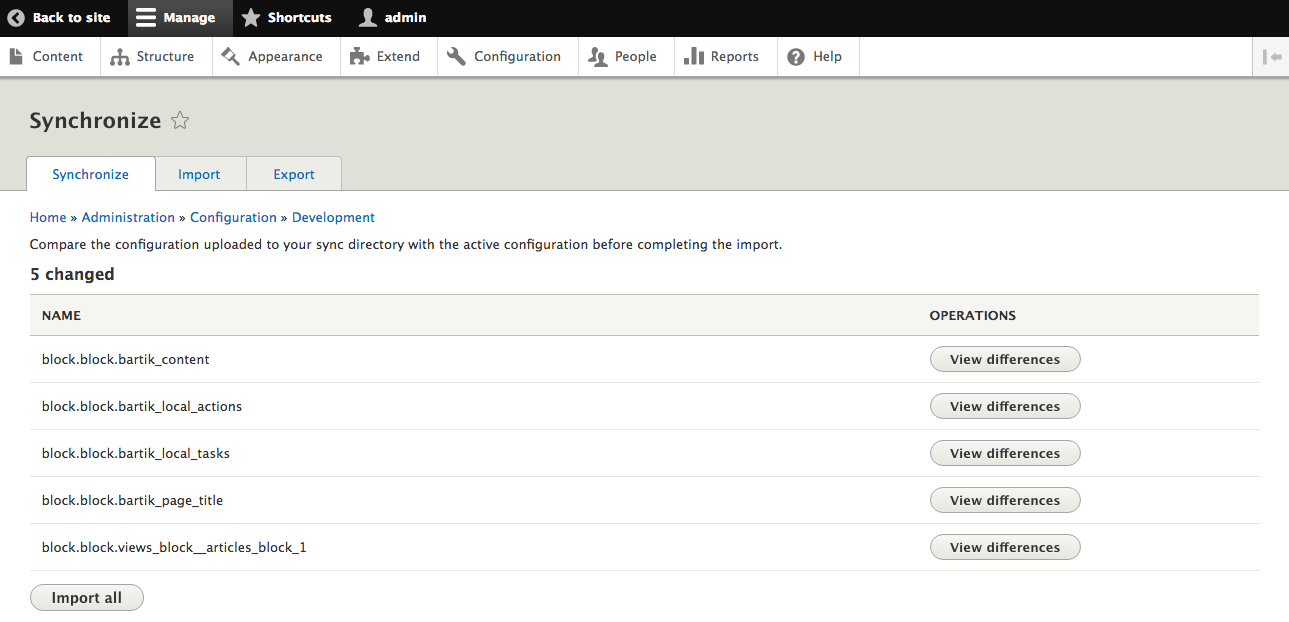
Differences dialog
Once you have verified each change, you can click the button labeled Import all to set the current database configuration to the files in the synchronization directory.