
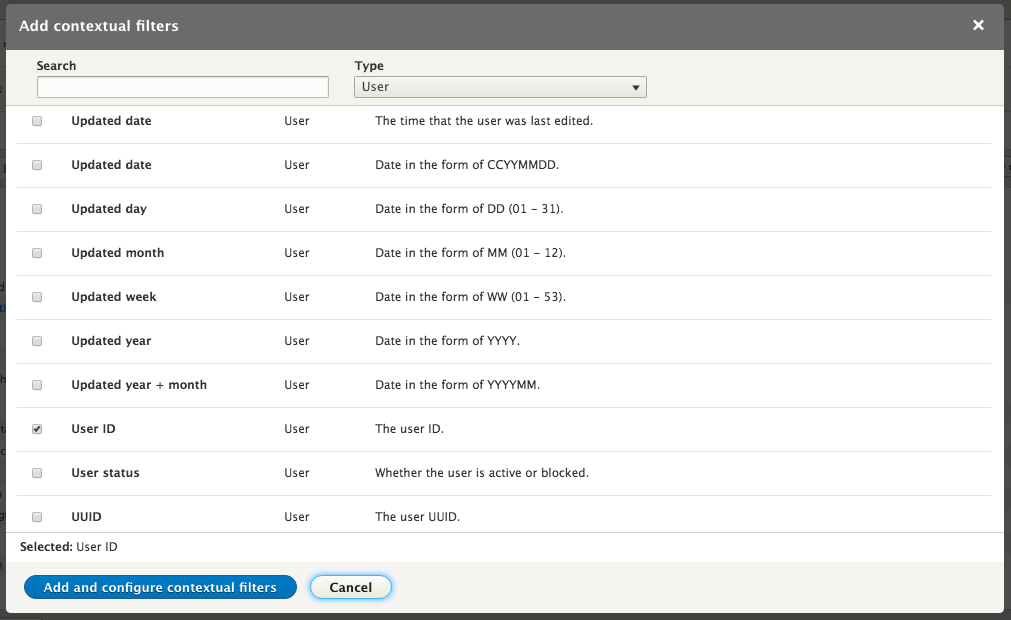
Contextual filters are ones that can be passed in the URI. This allows you to create Views displays that can display information based on a node ID, user ID, term ID, and so on. However, they do not allow the user to change that information on the View itself as they would be able to do with an exposed filter. For instance, if we wanted to show our current View on a user's detail page and have it restricted to that user, we would need to add a Contextual filter. Click the Add button next to the section title for Contextual filters. Select User from the dropdown labeled Type and scroll down and select the checkbox for User ID , then click the Add and configure contextual filter button.
On the following settings page there are a number of options. If you have relationships on the current View, you first need to select which one the current contextual filter applies to. If only one supports the current field, that is the only one that will be shown; if multiple ones do, you can choose between them.
The next set of options describe how the View should behave if a value is not provided. The contextual filter value can be provided programmatically, by the views_embed_view function for example, or by specifying it in the path for a page display. In cases where it is not the View, it can act in a number of different ways.