
Account configuration in Drupal 8 consists of managing various settings associated with a user, that is, anything from enabling contact settings, specifying which role will be used for administrative purposes, how a user can register for a new account, to even the ability to add additional fields to the user profile.
To see how this can be accomplished, we can begin by navigating to the Account settings page located at /admin/config/people/accounts or using the Admin toolbar and clicking on the Manage | Configuration | Account settings.
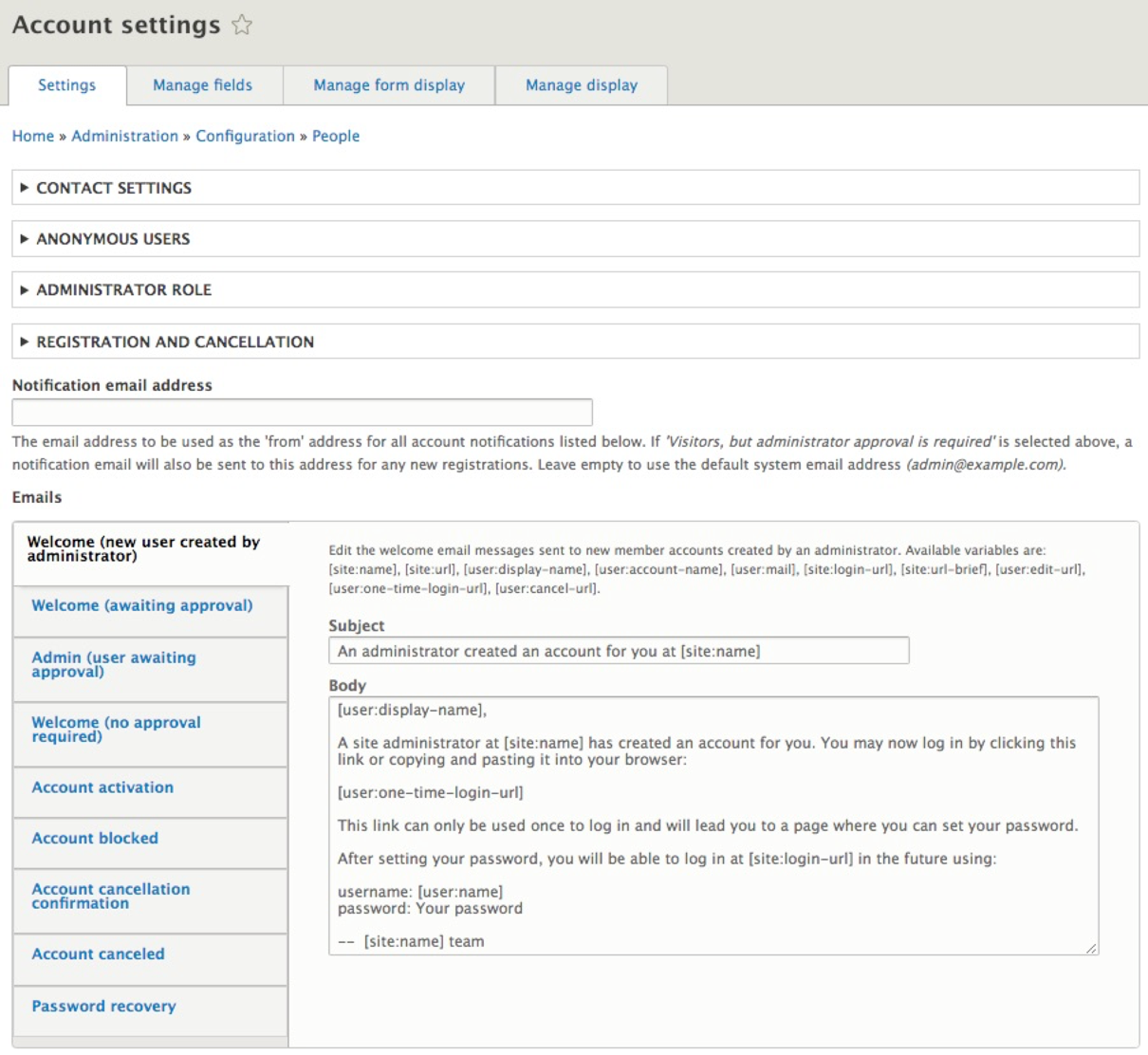
The Account settings page is arranged into various groups:
- CONTACT SETTINGS: Allows us to enable and disable personal contact form
- ANONYMOUS USERS: Allows us to specify which role will be used for anonymous users
- ADMINISTRATOR ROLE: Allows us to select a role that will be considered as the administrator so that permissions can be automatically assigned to it
- REGISTRATION AND CANCELLATION: Controls the ability to allow users to register an account and handles the user and their content when a user is deleted
- Notification email address: This is the from address used for sending notifications
- Emails: Email templates for various notifications
We will take a look at a few sections in more detail.