
We can easily add the Twitter Bootstrap framework assets by following these steps:
- Navigate to http://getbootstrap.com/getting-started/#download.
- Click on the Download Bootstrap button.
- Extract the ZIP file.
- Copy the contents of the bootstrap folder to our /themes/twiggy folder, keeping in mind that we will be overriding both the CSS and JS folders:
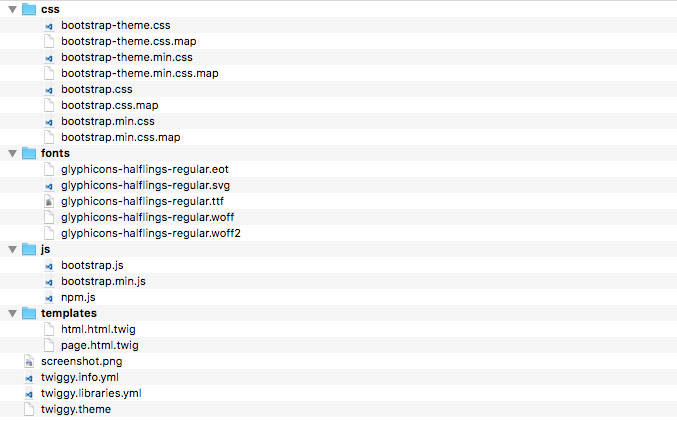
Now that we have the Twitter Bootstrap assets added to our theme, we need to modify our twiggy.libraries.yml file to allow us to reference our new assets.