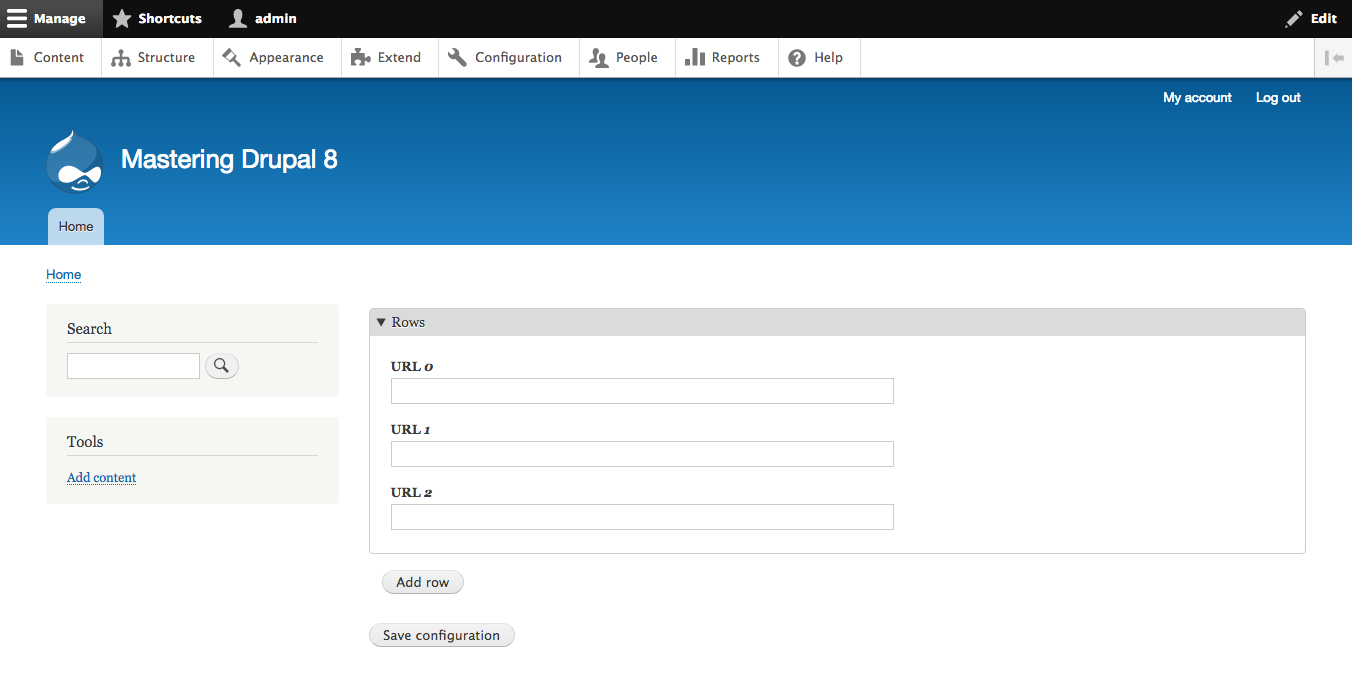
Many of the AJAX functions in Drupal 8 are very similar to how they were handled in Drupal 7. The major difference is in how the actual callbacks are triggered. Since forms are now classes, the #submit and #ajax attributes need to have callable values instead of just function names. As an example, let's take the configuration form from earlier and allow users to add multiple URLs. The first thing we do is to construct the wrapper around our list of URLs:
public function buildForm(array $form, FormStateInterface $form_state) {
  $config = $this->config('mastering_drupal_8.settings');

  $form['vals'] = array(
    '#type' => 'details',
    '#title' => $this->t('Rows'),
    '#open' => TRUE,
  );

  // Wrapper around rows
  $form['vals']['rows'] = array(
    '#type' => 'item',
    '#tree' => TRUE,
    '#prefix' => '<div id="rows__replace">',
    '#suffix' => '</div>',
  );

  return parent::buildForm($form, $form_state);
}
The next thing we need to do is to get the current number of URLs and ensure that we have that many input elements. So here we add the following where we define the row wrapper:
$count = $form_state->getValue('count', 1);

for ($i = 0; $i < $count; $i++) {
  // Make sure we don't overwrite existing rows
  if (!isset($form['vals']['rows'][$i])) {
    $form['vals']['rows'][$i] = array(
      '#type' => 'url',
      '#title' => $this->t('URL %num', [ '%num' => $i ]),
    );
  }
}

$form['count'] = array(
  '#type' => 'value',
  '#value' => $count,
);
We create the new URL rows in the wrapper and store the current number of rows in the FormState. We want to be careful not to replace the existing form elements because that will remove the values attached to them. The next step is to add the actual AJAX submit button. So, we add the count value as follows:
$form['add'] = array(
  '#type' => 'submit',
  '#name' => 'add',
  '#value' => $this->t('Add row'),
  '#submit' => [ [ $this, 'addRow' ] ],
  '#ajax' => [
    'callback' => [ $this, 'ajaxCallback' ],
    'wrapper' => 'rows__replace',
    'effect' => 'fade'
  ]
);
Note that we are using the callable syntax for #submit as well as the callback attribute in #ajax; this will ensure that the function will be called on the current object. The next step is to get the other functions in place. So, in the current form class, we'll add the following functions:
/**
 * Increments the row count
 */
public function addRow(array &$form, FormStateInterface &$form_state) {
  $count = $form_state->getValue('count', 1);
  $count += 1;
  $form_state->setValue('count', $count);
  $form_state->setRebuild(TRUE);
}

/**
 * Returns the array of row elements
 */
public function ajaxCallback(array &$form, FormStateInterface &$form_state) {
  return $form['vals']['rows'];
}
The addRow function increments the count value and then triggers a rebuild of the form, which ensures that buildForm is run again with the new count. Then finally, ajaxCallback is called, which returns the fragment of the form to be serialized and sent back to the browser to replace the previous form section. Now you have a form that starts with one row, but allows you to add any number of new rows by clicking on an Add row button: