
Another handy feature is being able to modify the format that a field is currently using. This is often known as a Field Formatter. Field Formatters provide additional configuration per field and allow us to change the length of a Textfield, modify the number of rows to display in a text area or, more importantly, add an HTML5 Placeholder to a field.
Let's begin by navigating back to our Manage form display page and configure the Headline field:
- Click on the gear icon to the right of the Headline Textfield.
- Add this text to the Placeholder field: Please enter a descriptive Headline.
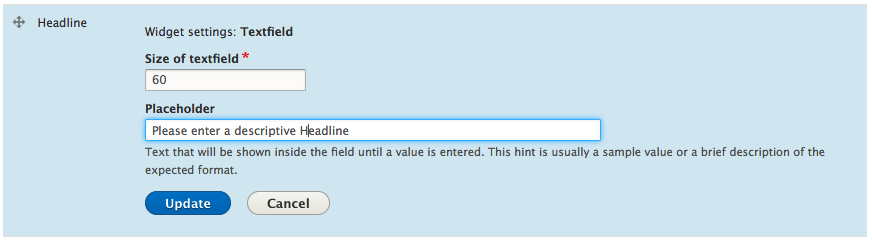
- Click on the Update button.
- Click the Save button.
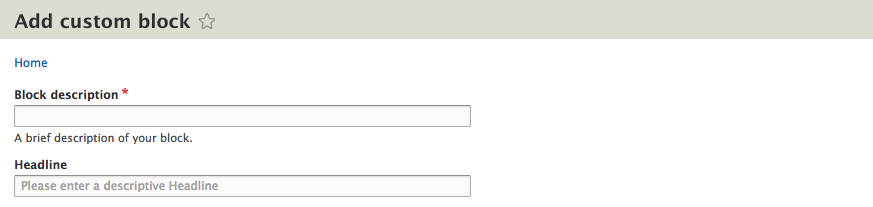
With our Placeholder now added, whenever we create a new custom block, our Headline field will prompt users to Please enter a descriptive Headline, as shown in the following image:
Sometimes it is necessary to clear Drupals cache when adding Placeholders to a form. If this happens to you, then clear the cache and then view the form again.