
Now that our local repository knows that we have a remote repository, we can simply push the committed files to GitHub by executing the following command in a Terminal window:
git push -u origin master
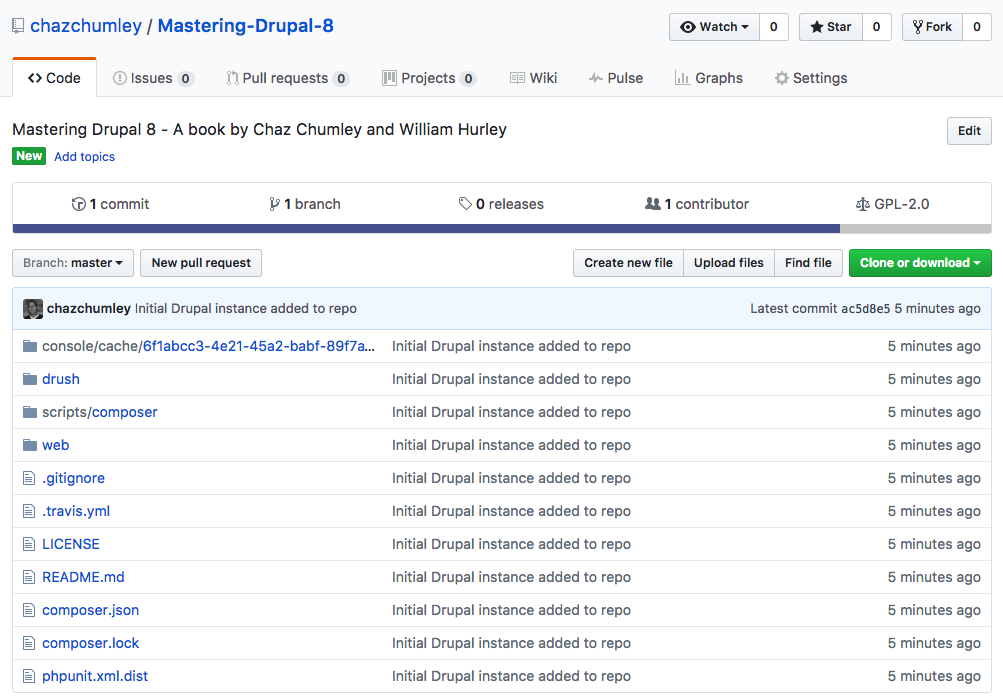
If we navigate to GitHub, we will now see that our once-empty repo contains the Drupal 8 instance that we added locally:
With our files now safely being tracked both locally and remotely, we can ensure that any change we make can be safely retrieved and reverted. Think of this as a snapshot of our code. If we are working in a team environment, we can share the repo with others to clone the repo to their local machines. There is a lot of great documentation on how to manage Drupal workflows using Git at https://www.drupal.org/node/803746.
Realize that these are the very basics of using Git, and depending on the size of your development team, there are additional strategies that may need to be implemented.
At this point, you may be thinking that there is a lot of information to remember when installing and configuring a Drupal project. While you may be right, it is also the reason why virtualizing a development environment makes perfect sense.