
Block content, whether system generated or custom, can have its display title changed, displayed, and even suppressed. In the case of our Powered by Drupal block, we can change the title by simply inputting a different value in the Title field and enabling it to display.
If we scroll down the page to the Sidebar second region, we can modify our block by clicking on the Configure button.
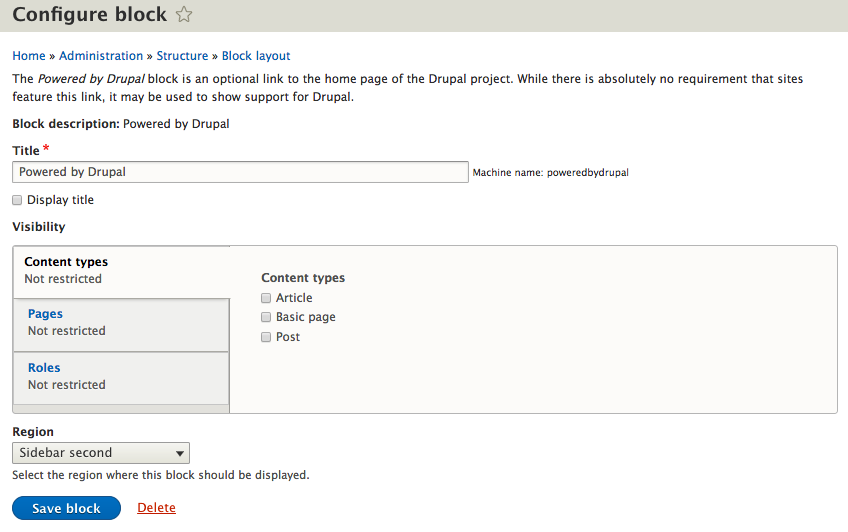
From the Configure block page, locate the Title field and perform the following actions:
- Change the value to Powered by Drupal 8
- Click on the Display title checkbox
- Click on the Save block button
With our block modified, we can return to the homepage to verify that our block title is now displaying the value we configured.