
First off, Drupal 8 is responsive out of the box, meaning that the default Bartik theme, the Seven administration theme, and even the Admin toolbar scale and resize based on the device we are viewing our site on.
We can see this in action by logging in to our Drupal instance and then navigating to our homepage. If we begin to resize the browser window, eventually we will notice the orientation of the Admin toolbar change from a horizontal bar to a vertical bar:
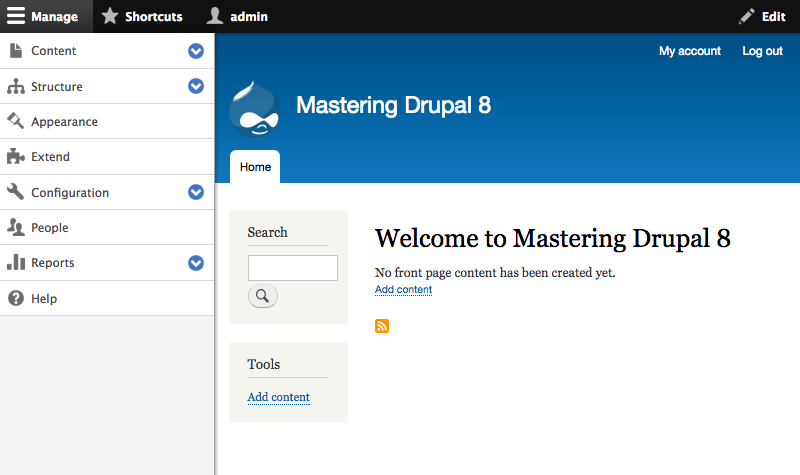
Once the Admin toolbar is at a vertical orientation, we can collapse it into the horizontal bar by clicking on the Manage link at the top left-hand side. This allows for more administration space on the screen.
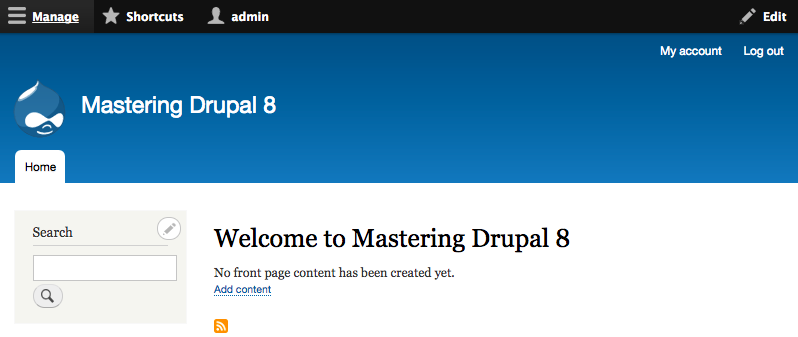
Clicking on the Manage link again will re-open the toolbar to allow us to continue navigating to anywhere within Drupal.
By expanding the browser window back to a normal desktop orientation, the Admin toolbar will convert back to a horizontal orientation.
The Admin toolbar is not the only responsive change. If we navigate to /node/add/page or use the Admin toolbar and click on Manage - Content, and then click on the Add content link and then Create Basic page, we will be taken to the Create Basic page screen:
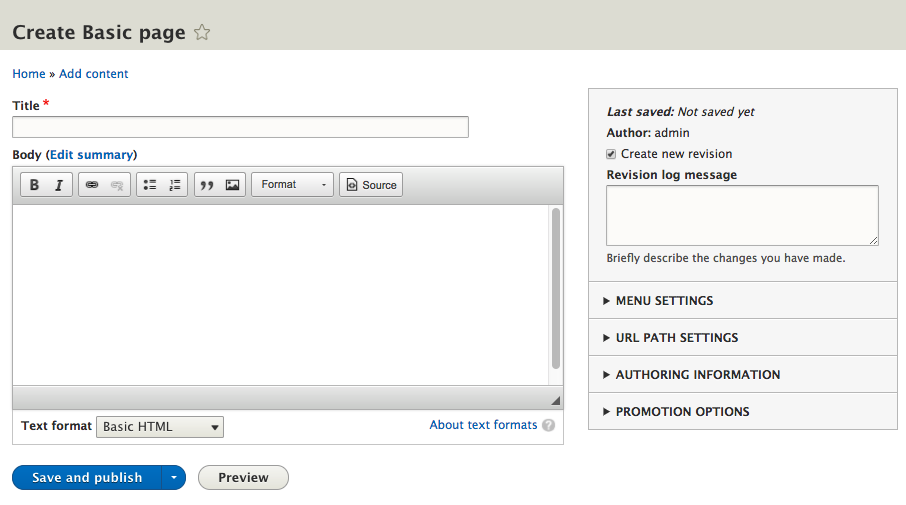
Notice the screen is divided into two columns:
- The first column allows for the entry of a Title and Body
- The second column contains configuration information such as revisions, menu settings, and more
If we resize the web browser back to a mobile orientation, we will notice that the two-column layout will change to a single column with fields ordered by level of importance. Again, this is providing us with a responsive content editing experience.
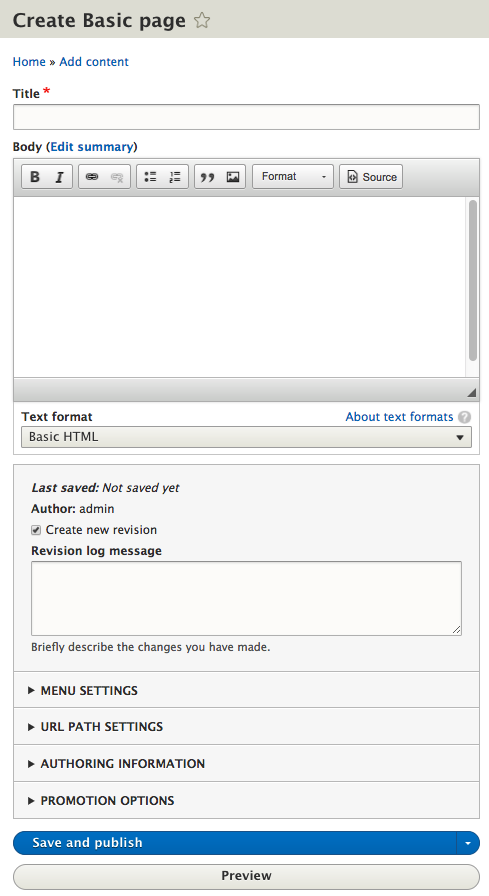
While we may never find ourselves managing Drupal from a mobile device, the fact that it is responsive by nature gives us peace of mind that it is possible to manage a Drupal instance on all mediums.
Something else that makes Drupal's content authoring experience easier to work with is the introduction of a WYSIWYG already configured for our use without the need to install and configure contributed modules to add this functionality. While there were a few options in earlier versions of Drupal to choose from, core maintainers finally settled on CKEditor as the default WYSIWYG.