
Adding terms to our Category vocabulary will enable a user to filter Posts by those terms. We can add new terms by clicking on the Add term button and entering the following values:
- Outdoors term
- Name: Outdoors
- Description: empty
- URL alias: /category/outdoors
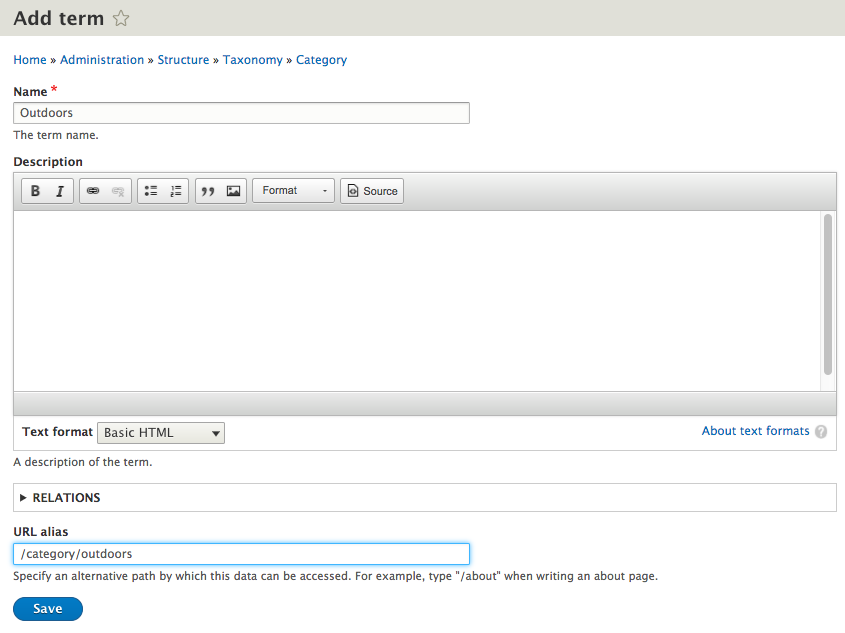
Now, click on the Save button to add our first term and then repeat the steps for the remaining terms:
- Camping term
- Name: Camping.
- URL alias: /category/camping.
- Click on the Save button.
- Rock climbing term
- Click on the Add term button.
- Name: Rock climbing.
- URL alias: /category/rock-climbing.
- Click on the Save button.
If we now navigate back to our Category listing, we should see the three terms we added:
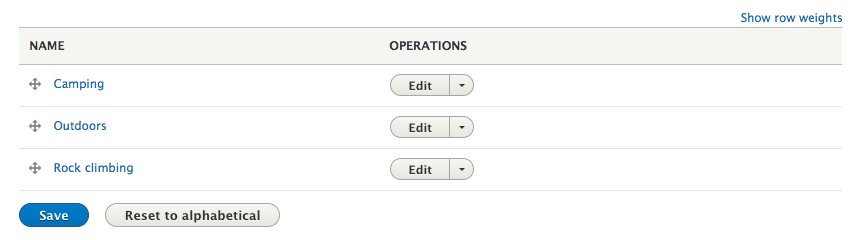
One important item to point out is that the order in which the terms appear in our list is how they will appear to users when using them from the node add/edit page, or from any filter using the Category vocab.
If we want to reorder the list manually, we can accomplish this by dragging the terms in the order we want them to appear. We can also reset them to back to display alphabetically by selecting the Reset to alphabetical button.