
Drupal 8 uses Date and time formats for a variety of functionalities. Ranging from how Views filter content to field formatters that allow for a specific date format to be selected for use on content. As part of site building, we may want to configure the default display of dates or even add additional date formats that content can take advantage of.
If we navigate to /admin/config/regional/date-time, or use the Admin menu and click on Configuration | Date and time formats, we can look at the values we can set:
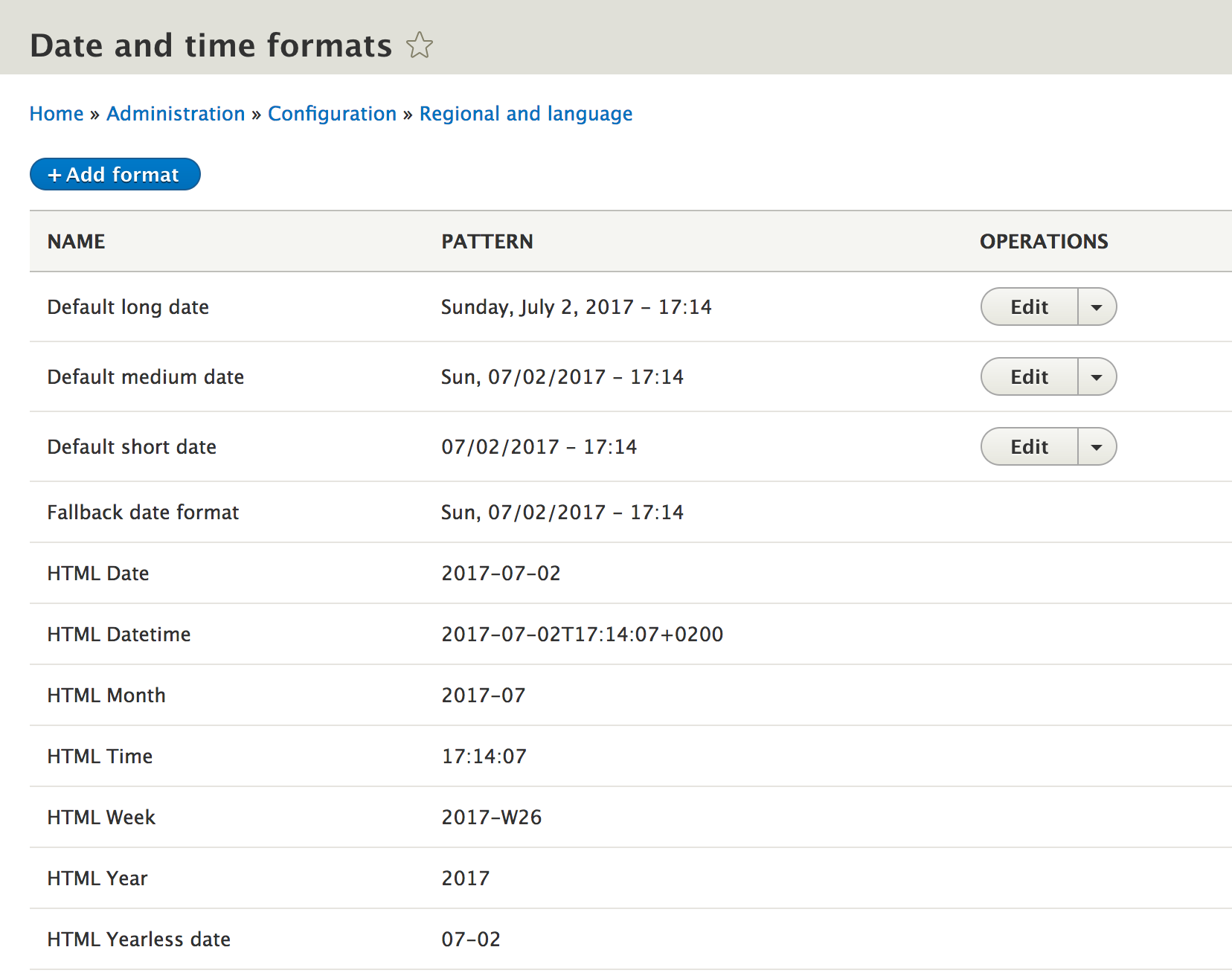
As we can see, Drupal specifies numerous date formats that can be used. However, only three can be modified: Default long date, Default medium date, and Default short date. Currently, they are set to use the 24-hour military time format. Let's look at changing the Default long date to 12-hour standard time and add the AM/PM value to the end of the date object.
Begin by clicking on the Edit button next to Default long date.
Next, we will modify the Format string to use the following value:
l, F j, Y - h:i A
The preceding string is illustrated in the following image:
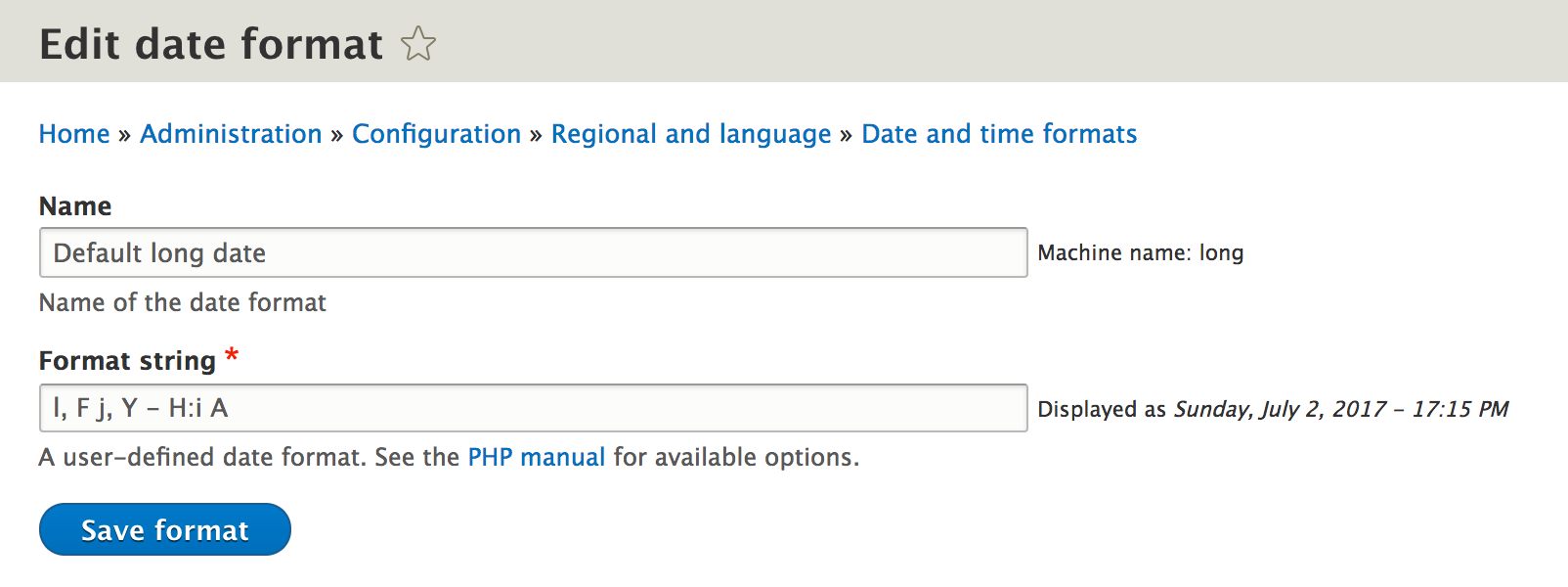
Keep in mind that the Format string uses the PHP date object format. For more information on the available formats, click on the PHP manual link located following to the Format string field. There is a wide range of formatting that can be used.
Once we have modified the value, we can click on the Save format button to save our changes.
Go ahead and change the remaining Default medium date and Default short date formats to follow similar formatting as our Default long date.
However, what if we need to add additional date formats?