
Before we wrap up this lesson, let's talk about the new Quick edit functionality that Drupal 8 introduced. As we have experienced, jumping back and forth between the display and the node add/edit form for content can sometimes be cumbersome and time consuming.
We now have the option of quickly editing a page by using the Quick edit link that is part of the contextual links. In fact, we have already used contextual links when we worked with blocks. The following are the steps to change to the title within the page:
- If we navigate to our Post One page and hover over the content, we will be presented with a pencil icon indicating that we can edit the content directly by selecting the Quick edit link:

- Select the Quick edit link and you will notice that each block of content highlighted in blue can be directly edited.
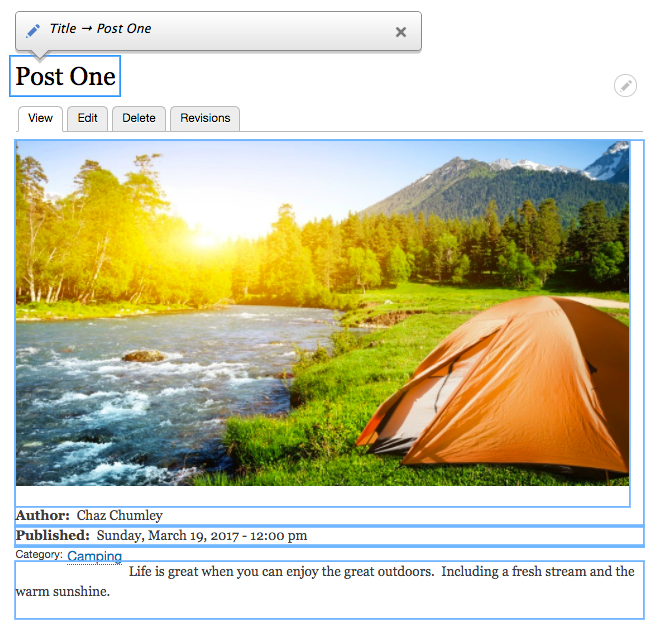
- Go ahead and try this now by clicking within the title of the page and changing it. For demonstration purposes, I will change the title of Post One to Camping in the Wilderness.

- Once the title has been changed, click on the Save button to complete the process.
Now that is much quicker to change content when you have a small change and are in a hurry.