
To add a new view mode, we only need to have an idea of what we want to call the new display. It is important to be semantic when creating a new view mode so that it makes sense to the site builder when they choose to use it later.
For demonstration purposes, we will create a new view mode for handling a card layout that we will be using in Chapter 9, Working with Twig. Let's go through the following steps to create it:
- Click on the Add view mode button.
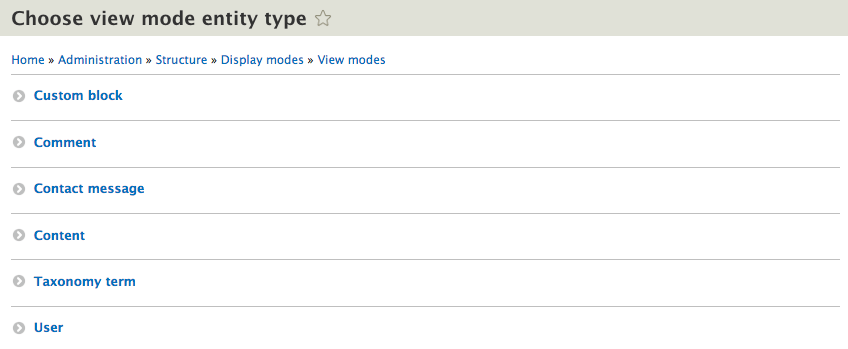
- Choose Content from the Choose a view mode entity type page.
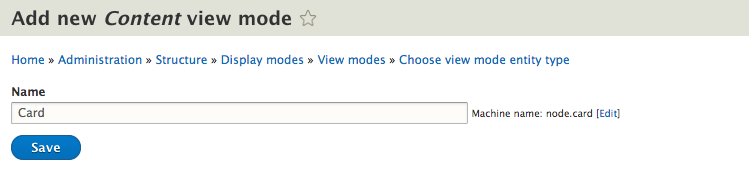
- Enter the name of Card on the Add new Content view mode page.
- Click on the Save button.
- We now have a new view mode that can be used by all content types and if we tab back to the Manage display page and refresh the page, we will see the new view mode available.
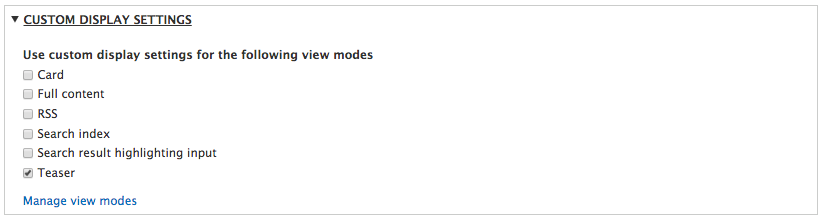
- Select Card from the Use custom display settings for the following view modes and then click on the Save button to enable the new view mode.
We will return to the new Card display later when we explore theming content in Drupal 8.