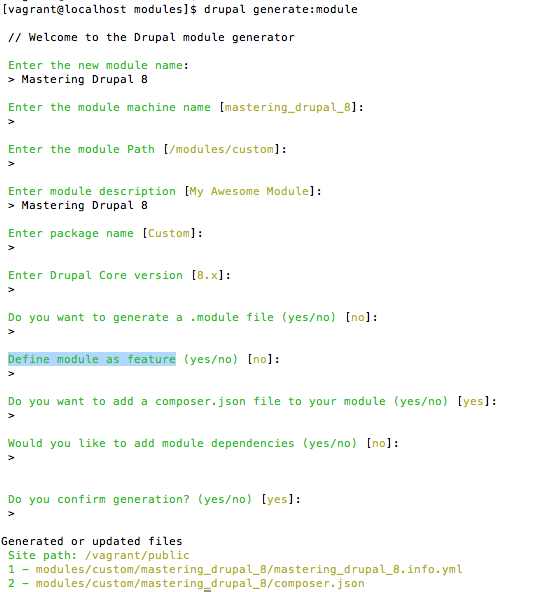
The simplest way to create a new module is to use the Drupal Console project. Built on top of the Symfony Console, the Drupal Console is a set of tools to scaffold out new Drupal features and run other tasks on a Drupal instance. Some of these commands provide similar functionality to what's already in Drush. For example, if you wanted to download the Chaos Tools module, you could run either drupal md ctools or drush pm-download ctools and it will pull down the module and place it in your /modules directory.
To install the Drupal Console, run the following:
# Download and install Drupal Console:
curl https://drupalconsole.com/installer -L -o drupal.phar

# Place it somewhere you can access it:
mv drupal.phar /usr/local/bin/drupal

# Make sure you can execute it:
chmod +x /usr/local/bin/drupal

# Copy configuration files to user home directory:
drupal init --override
Where the Drupal Console really shines, is in code generation. This scaffolding allows you to automate some of the tedious file creation necessary to add functionality to a Drupal site. For instance, to create a new module, you can simply run drupal generate:module and then answer some simple questions. It will then create the appropriate .info.yml file and optional .module file.