
We can navigate to the People panel by directly entering /admin/people or by using the Admin toolbar and clicking on Manage | People.
The People listing not only displays the existing users, but allows us to easily add new users by clicking on the Add user button.
The Add user page allows us to register new users by completing a series of fields. Some fields are required by Drupal to authenticate the user, whereas others are required to notify the user that their account has been created or to allow them to retrieve their password.
The first part of creating a user involves entering their credentials; credentials include Email address, Username, and Password:
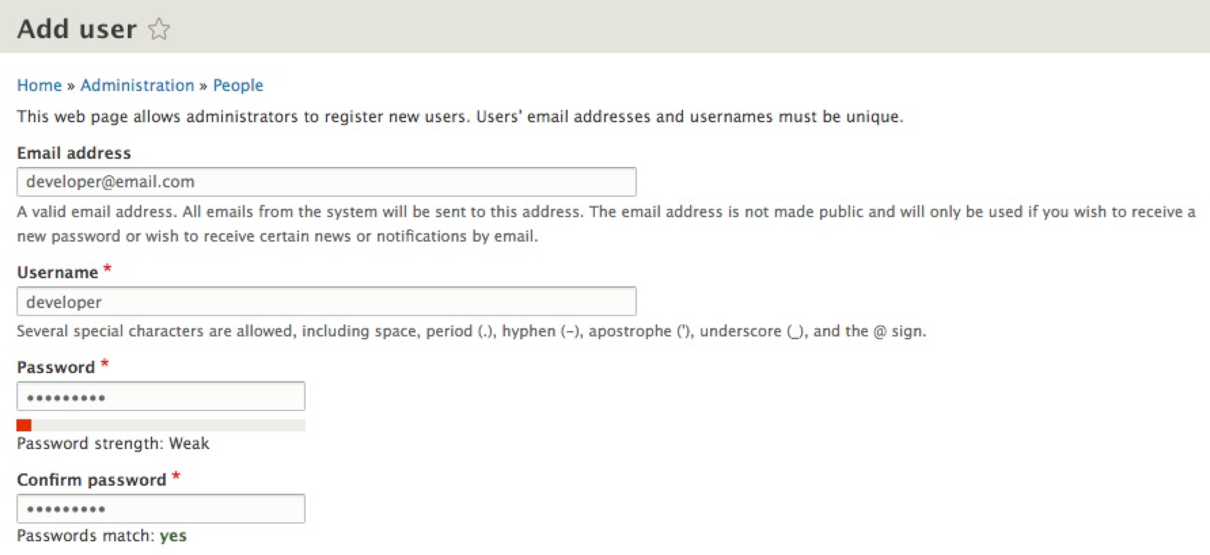
For the purpose of demonstration, we will enter a fictitious e-mail, developer@email.com.
Next, we will enter Username as developer, and Password as developer.
Leave the remaining default values and then click on the Create new account button at the bottom of the page. Once our user has been added, we can navigate back to the People listing page located at /admin/people.