
We can also retrieve the value of a specific variable, returned by calling drush config-get, followed by the variable name. Since some variables have multiple named values that can be set, this command is helpful for knowing what we can modify within our settings.php file.
If we open a Terminal window, we can enter the following command to see the values contained within a variable:
drush config-get system.site
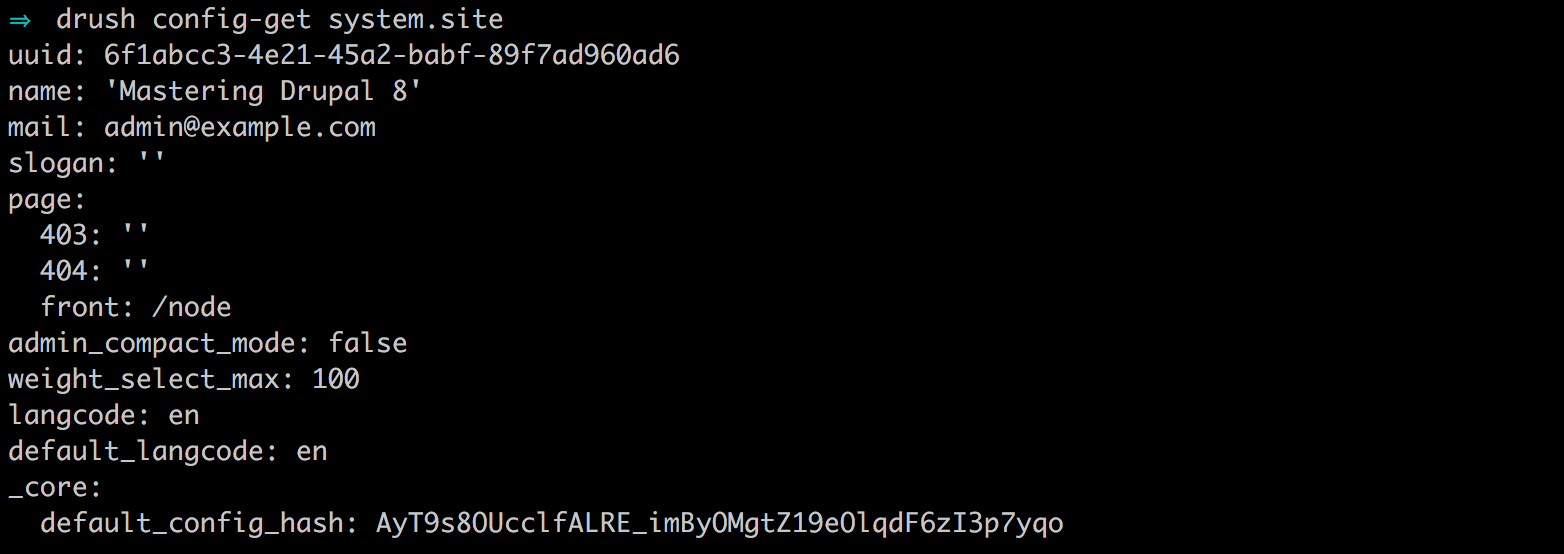
One thing to point out is that the site name value returned from the system.site variable still reflects 'Mastering Drupal 8' when, clearly, we are overriding it within our settings.php file. This is a perfect example of where there may be some confusion if someone doesn't know we are overriding that value.
We can remedy this by passing an argument to drush config-get to include the overridden values. Within the Terminal window, enter the following command:
drush config-get system.site --include-overridden
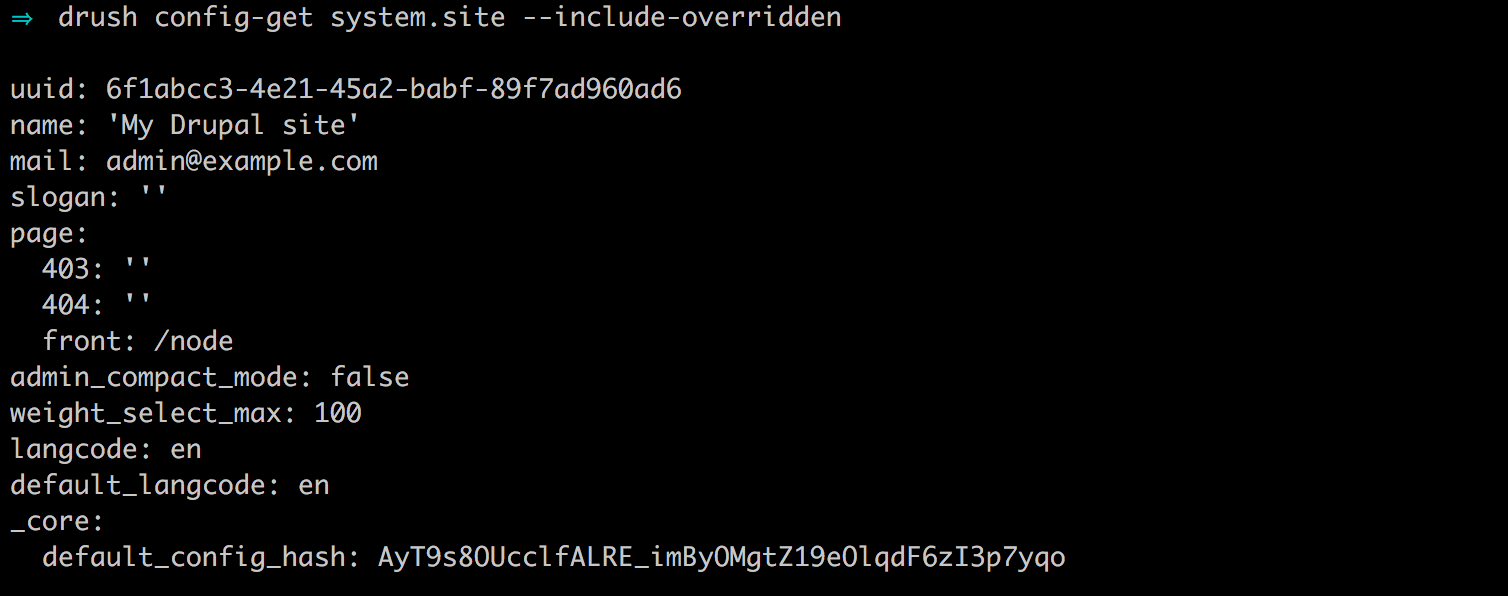
The addition of the --include-overridden argument will allowing Drush to display any values that are being overwritten within our settings.php file. The combination of using drush config-list and drush config-get helps with managing configuration.