
In most cases, we are fine with using the default public path for managing access to the files used in Drupal content. However, if we ever need to change the path, there are two steps involved:
- Ensure that the new path exists.
- Modify the path value within the settings.php file.
For example, if we want to move our files to be located within /sites/default/files/test, we would need to ensure that the new folder exists and is writeable. Once the folder and proper permissions have been applied, we can modify the settings by opening the settings.php file within an editor and locating the Public file path section:
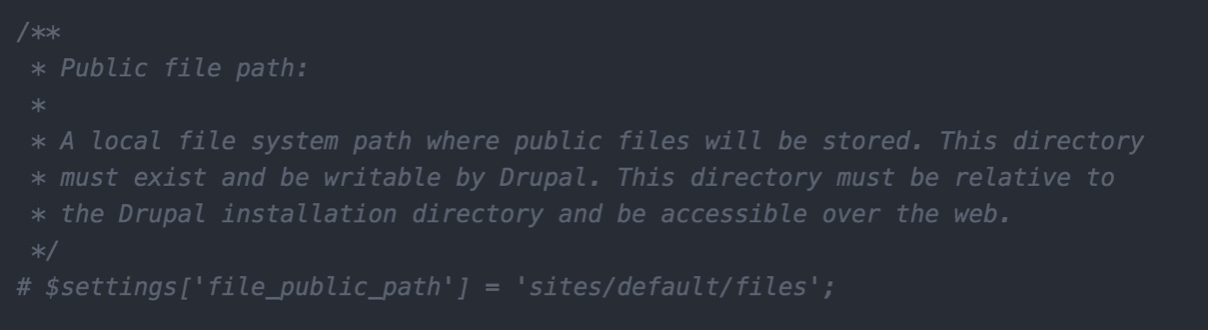
Currently, Drupal is using the default path of /sites/default/files. To change this, we can uncomment the setting and then modify it to reflect the new path:
$settings['file_public_path'] = 'sites/default/files/test';
Save the changes, clear Drupal's cache, and navigate back to the File system page to verify that our file path has been updated:

To follow best practices, let's comment out the Public file path in our settings.php file to ensure that our path remains /sites/default/files. Once commented out, ensure that you save the change and clear Drupal's cache.
By now, we should be getting comfortable managing Basic site settings using the admin interface, settings.php file, Drush, and Drupal Console. Next, we can move on to Regional settings.