
Any content type that has been configured to allow previews can use the new Better preview option. We can demonstrate this by performing the following steps:
- Navigate to our Post One page and selecting the Edit tab, which will take us to the Edit form page.
- Next we need to click on the Preview button at the bottom of the page.
- We will now be in Better preview mode and should notice a new navigation bar at the top of our page. The preview bar allows us to switch the View mode that is currently being presented.
- Select the Teaser in the View mode and we will see our changes.
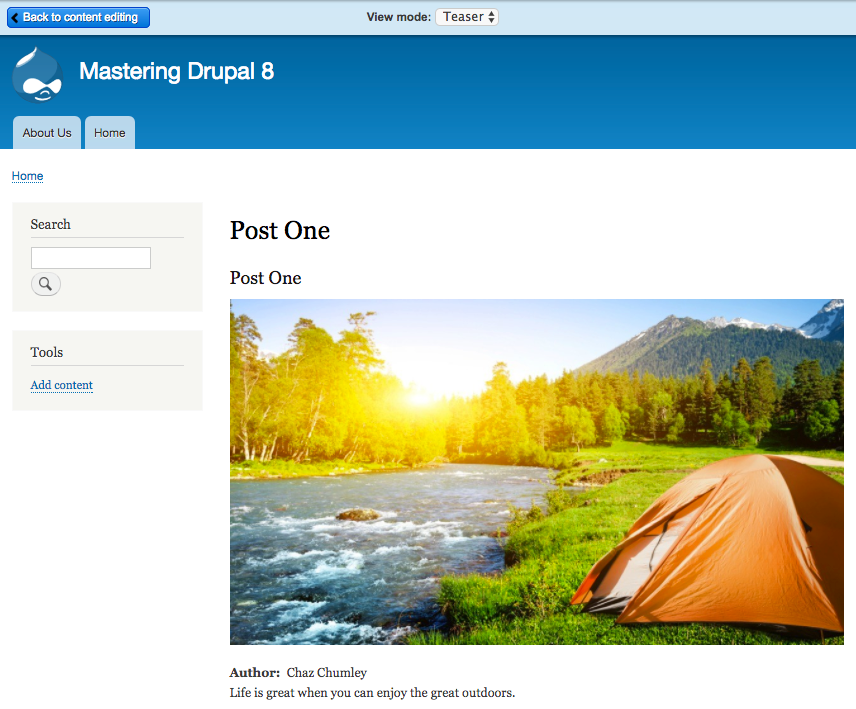
- Until we begin theming a site or have additional ways to manage content, the Better preview option will come in quite handy. At any time, we can also click on the Back to content editing button to switch back to our Edit form.