
The initial View we created contains just the Master Display. The Master Display provides the initial configuration for the View. Additional displays can be added, which can alter some or all of the View configuration. There are different types of displays that can be placed in different contexts. A number of display types come with Drupal 8 core, including:
- Attachment: An attachment display is one that can be placed before or after another View. This allows the attached View to use the inputs as the View it is attached, to including pager, arguments, and exposed filters.
- Block: A Block Display is one that can be placed using the Drupal block interface. This means it can be placed in regions based on pages, content types, user roles, and so on.
- Embed: An embedded view is one that can be displayed from a Twig template using the views_embed_view function. To allow embedded displays, we would need to enable the setting from the View settings page, as shown in the following screenshot:
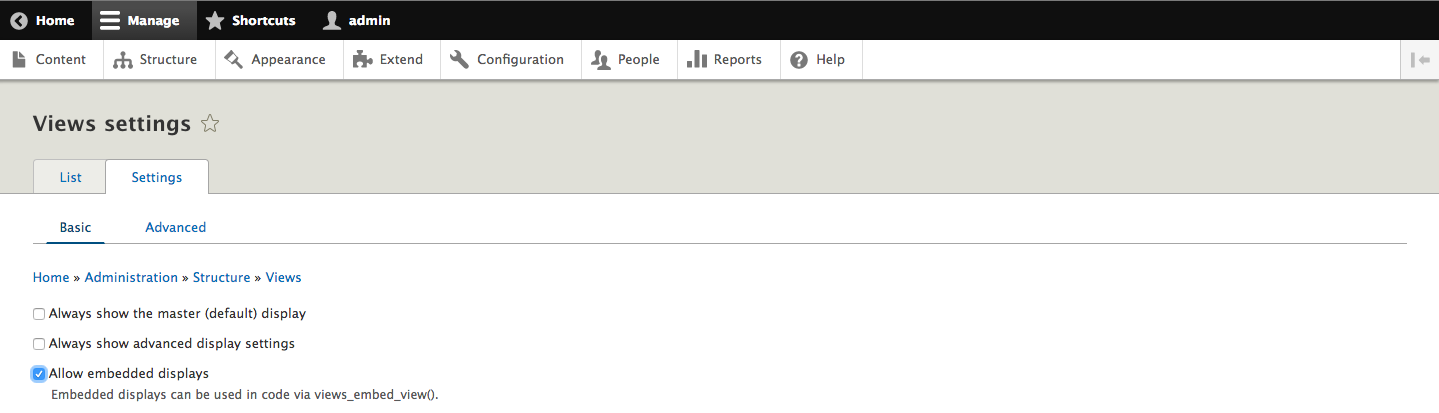
Views settings
- Entity reference: An entity reference display allows you to customize the method of selection and display of an entity reference field. You can use this to display fields beyond just the title, restrict the list to a sub-set of entities, change the sort order, and so on.
- Feed: A Feed Display is one that outputs a View in a format such as RSS or OPML that can be consumed.
- Page: A Page Display creates a standalone URI that our results can be displayed on. Views adds a menu router and optionally a menu link so that it can be placed within the menu structure.
- REST export: A REST export display is one that outputs the content of the View formatted, as either JSON or XML, that can also be consumed by another application.