
Whenever we want to display a snippet of content, we generally do not want to display all the fields. We can utilize the Teaser display to manage the fields by switching displays.
Take a moment and adjust the fields for the Teaser display to look like the following:
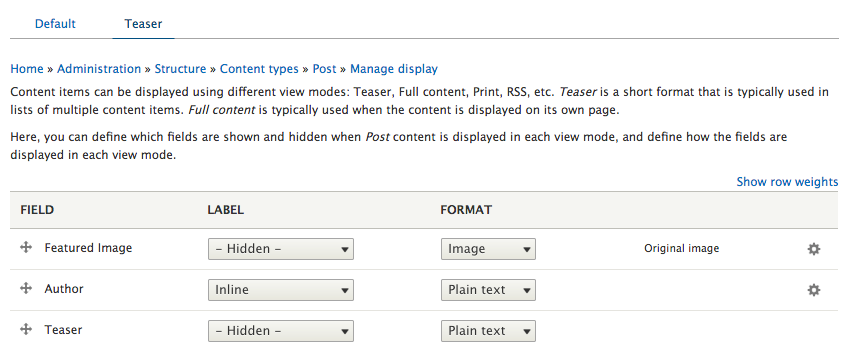
Make sure to click the Save button at the bottom of the Manage display page.
You may be asking how do I review the changes for the Teaser display without creating another page to reference my Post, or by having to create a view that uses the new display? The answer is simple. To preview our changes, we can use the Better preview option.