
Navigate back to the Basic page settings located at /admin/structure/types/manage/page or use the Admin toolbar, click on Manage | Structure | Content types, and select the Edit link from the drop-down button next to Basic page:
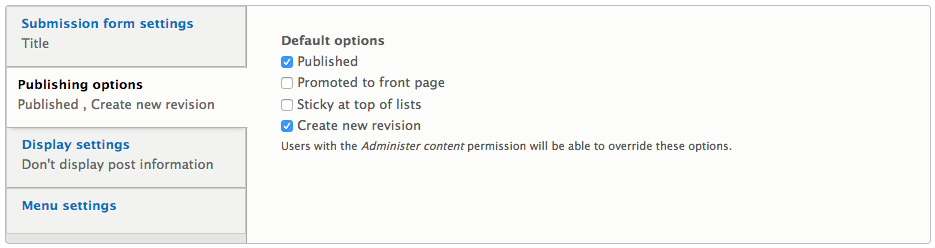
The Publishing options mainly control whether content is published by default and whether to create new revisions each time we edit content. If we do not want content to be published automatically, we can uncheck the Published option. Drupal 8 has a new ability to have revisions enabled by default. This setting allows for multiple versions of content to be saved each time content is created or edited. If we are governed by an editorial workflow, this is a great option.