Content form display is just as important as the content itself, and knowing how to provide our end users with a better authoring experience is simple with Drupal 8.
Start by navigating to /node/add/post or by using the Admin toolbar and clicking on Content and then selecting Add content and then Post:
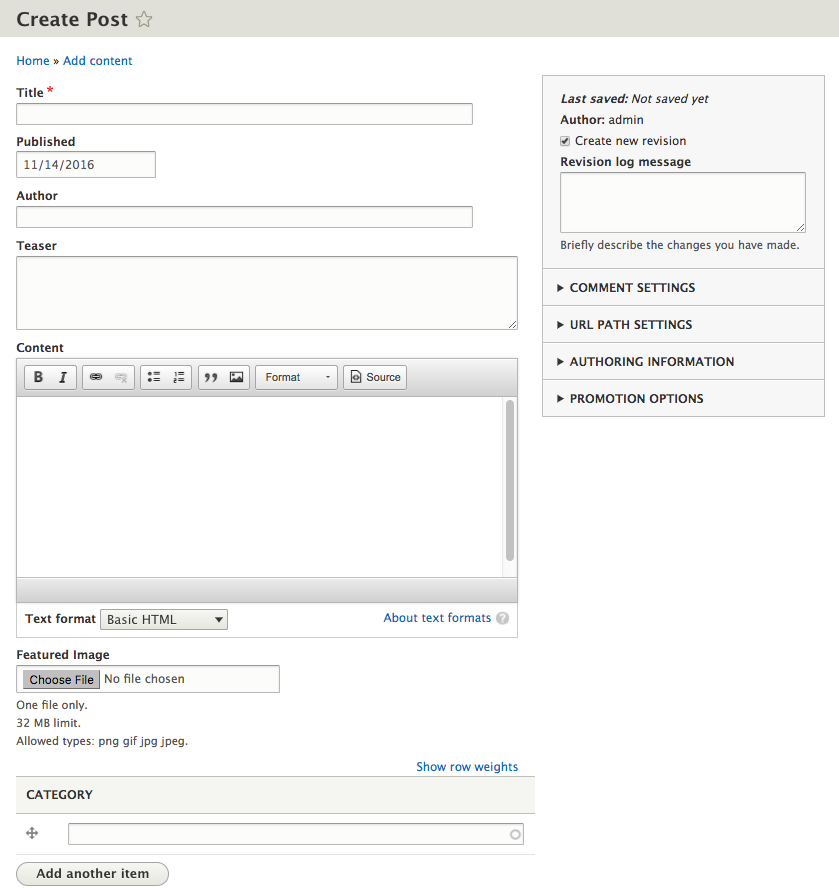
At first glance, we can see that the flow of our form is not very friendly. Our Featured Image and CATEGORY fields are displayed at the bottom of our form when it would make much more sense to have them displayed after the Author field. Also, how to select a Category for a Post may not be very clear to the user. Finally, some fields should not be displayed if we don't expect the user to interact with them.
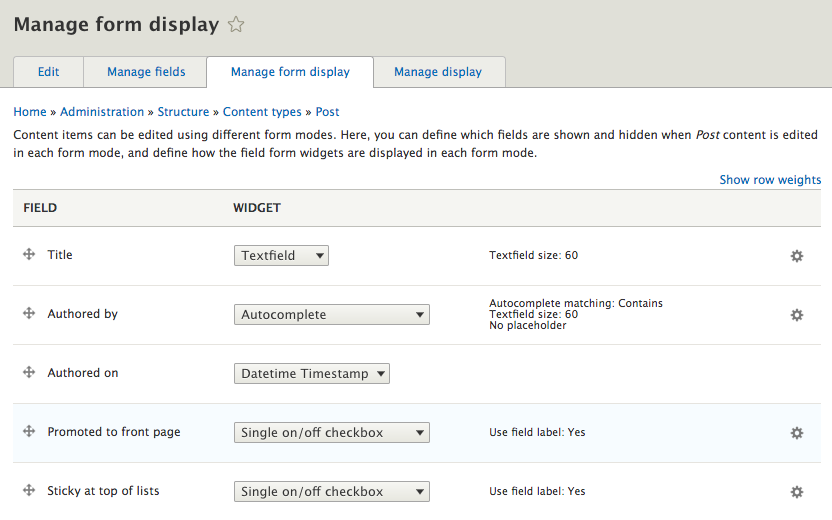
Drupal 8 provides us with the ability to rearrange fields, change the format of how fields are displayed, and even disable the display of fields using the Manage form display for each content type. We can make our Post form more usable by navigating to /admin/structure/types/manage/post/form-display or by using the Admin toolbar and selecting Manage -Structure-Content types, then choosing Manage form display from the drop-down button next to the Post content type: