
So far, we have been working with system-generated blocks. However, with the introduction of fieldable blocks in Drupal 8, we can create custom blocks. Custom blocks are quite powerful and will be used to display content in ways not possible previously without a contributed module.
Begin by navigating to the Block layout page by directly entering /admin/structure/block, or by using the Admin toolbar and clicking on Structure | Block layout.
We can create a custom block by following these steps:
- Locate the Sidebar second region.
- Click on the Place block button.
- Click on the Add custom block button.
We are now presented with the Add custom block screen that will allow us to create a default custom block that includes a Block description and a Body field.
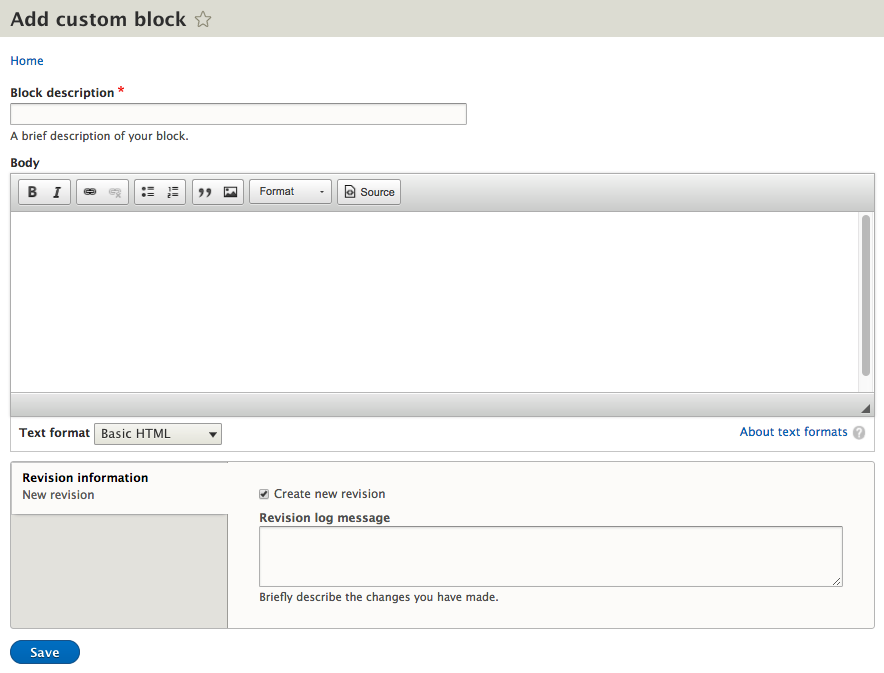
We can continue filling out our custom block by entering the following values:
- Block description is our custom block.
- Body is some basic content.
- Click on the Save button.
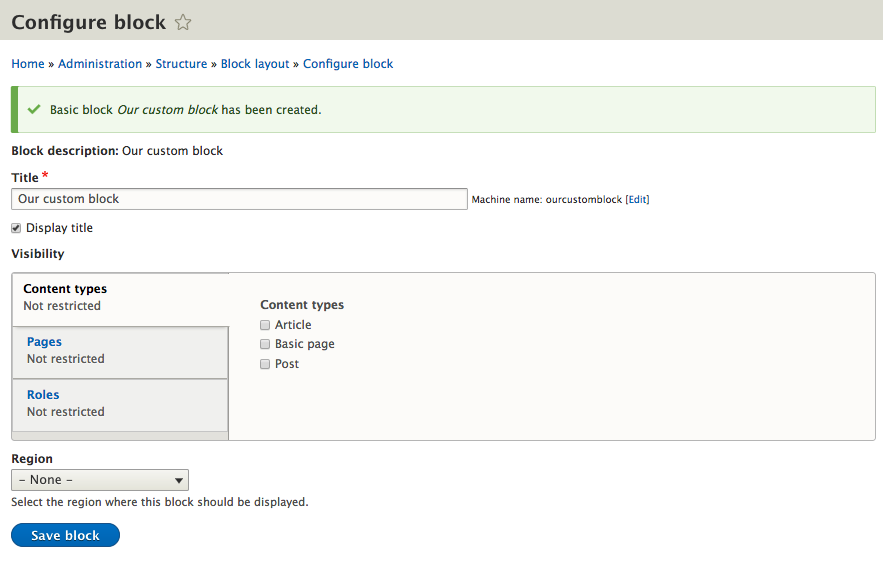
Our custom block has been created, but we still need to configure it just like any other block. Currently we have not assigned our block to a Region, which is evident by the Region dropdown displaying a value of Select.If we try to save the block without defining a region, Drupal will display a HTML5 error specifying that we need to select a Region. We can choose Header Region and then Save the block. We will move the Block to another region using the Block layout in just a moment.