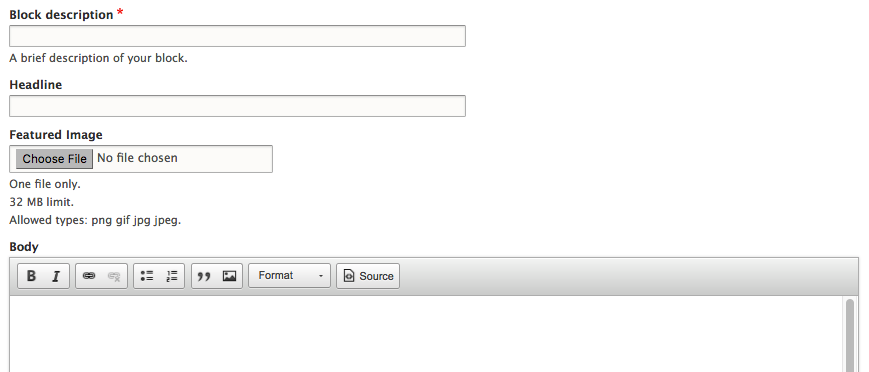
We can easily reorder the way fields appear by selecting the grab handles located to the left of a field and dragging them up or down on the page. Taking a moment to review the fields in our custom block, it would make much more sense if our fields were in the following order:
- Block description
- Headline
- Featured Image
- Body
Let's place the fields in the correct order by dragging them into position, based on the previous order.
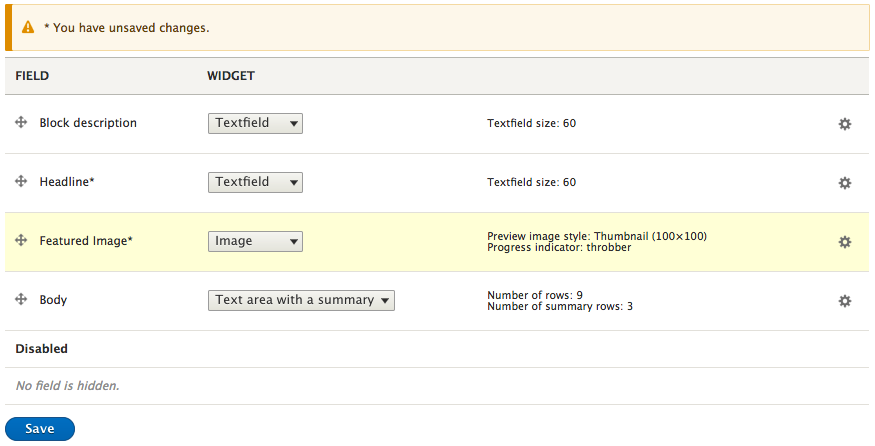
Notice that whenever we reorder fields, Drupal will provide a prompt to remind us that we have unsaved changes. To complete the process, all we need to do is click on the Save button.
If we now go to add a new custom block, we will see that our fields are now ordered exactly how we specified on the Manage form display page.