
A role in Drupal helps to define what a user can do. By default, a role lacks permissions and is just a named grouping that helps to identify a specific set of functionality or privileges that may be assigned.
For example, in a typical editorial workflow, you may have users who can contribute content, editors who review the content, and a publisher who schedules the content to be published at a specific time. Each of these users will have a corresponding role of a contributor, editor, and publisher and a defined set of permissions that will be assigned to each role.
We can navigate to the Roles panel by directly entering /admin/people/roles or using the Admin toolbar and clicking on Manage | People and then the Roles tab.
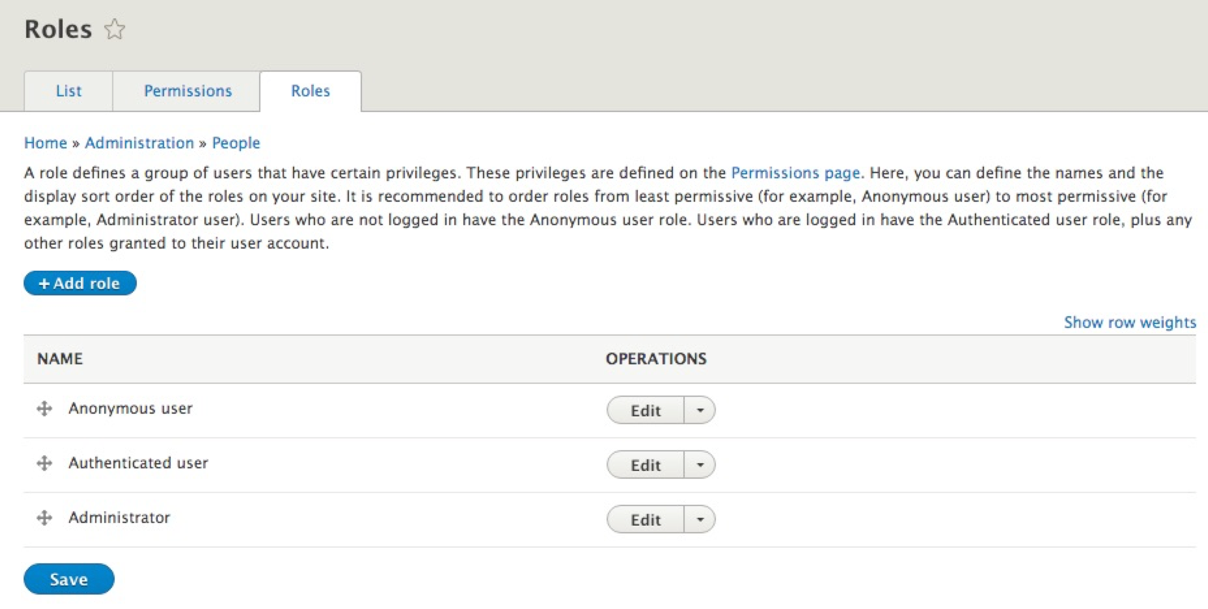
At a first glance, we see that Drupal creates three roles for us to use:
- Anonymous user is anyone who visits our website but is not logged in. This user generally has the least amount of permissions and can only view or interact with Drupal based on a limited set of privileges.
- Authenticated user is anyone who is logged in to Drupal. This user may be able to add content or perform some limited admin functionality determined by the permissions assigned to the role.
- Administrator is typically any user who will manage Drupal. This could be a site builder or developer. In most cases, the Administrator has full permissions assigned to them.
One thing to note is that the Anonymous user and Authenticated user roles cannot be deleted. These two roles are required to help identify users who are just visiting or are logged in. The third role of the Administrator allows for a user to be assigned the ability to perform all tasks in Drupal.
We are not limited to just these three roles. In fact, we generally find ourselves needing additional roles based on the type of website we are developing.
For the purpose of demonstration, let's add a new role called Developer.