
- Click on the Add field button.
- Choose Image from the Add a new field dropdown.
- Label: Featured Image.
- Click on the Save and continue button.
- Click on the Save field settings button.
- Click on the Save settings button.
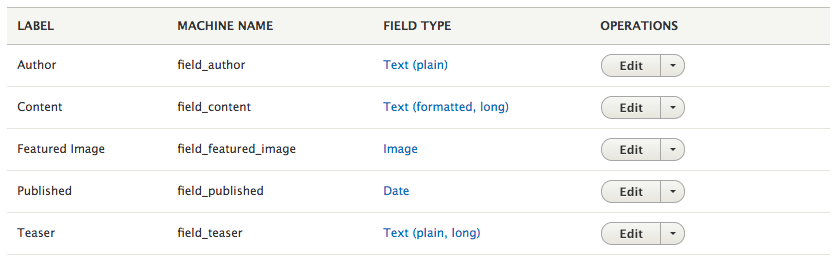
Our Manage fields page should now be displaying a list of all the fields we just added:
Sometimes we may find ourselves wanting to use specialized fields that allow us to categorize content, reference other pieces of content, or even provide users the ability to comment on content we have added. This is where Taxonomy comes in.