
The Preview before submitting option provides two functions:
- Appearance of a Preview button when creating a new node
- Ability to switch between various displays of the content
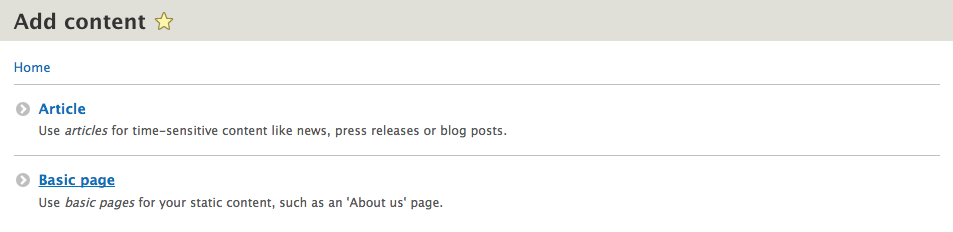
If we navigate to the Add content page by entering /node/add/page or by using the Admin toolbar and clicking on Manage | Content, selecting Add content and then Basic page, we can create our first Basic page and preview the content in it:
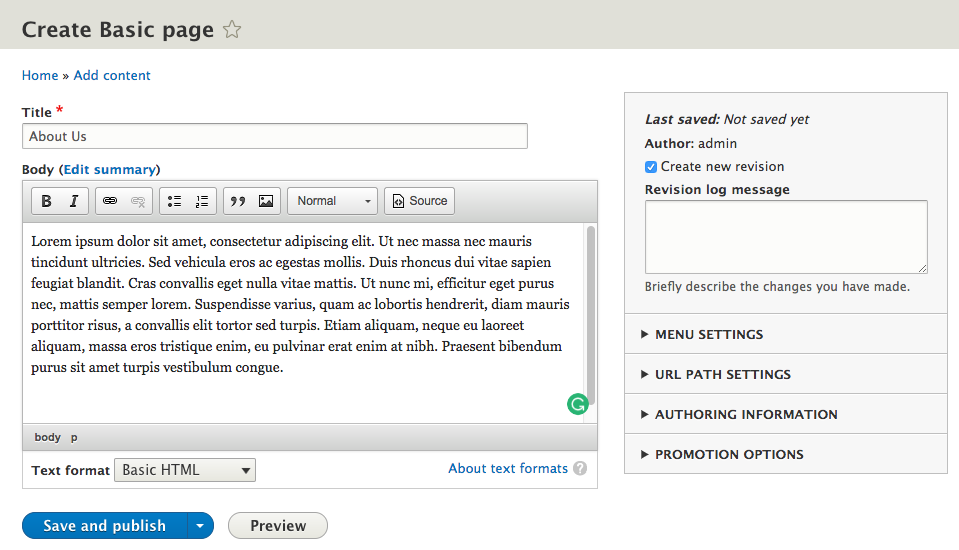
On the Create Basic page screen, we will need to enter the following information:
- Title*: About Us
- Body: Add some default Lorem Ipsum using http://www.lipsum.com/:
With our content added, we can select the Preview button to view our content with the ability to change the View mode of how the content is displayed:
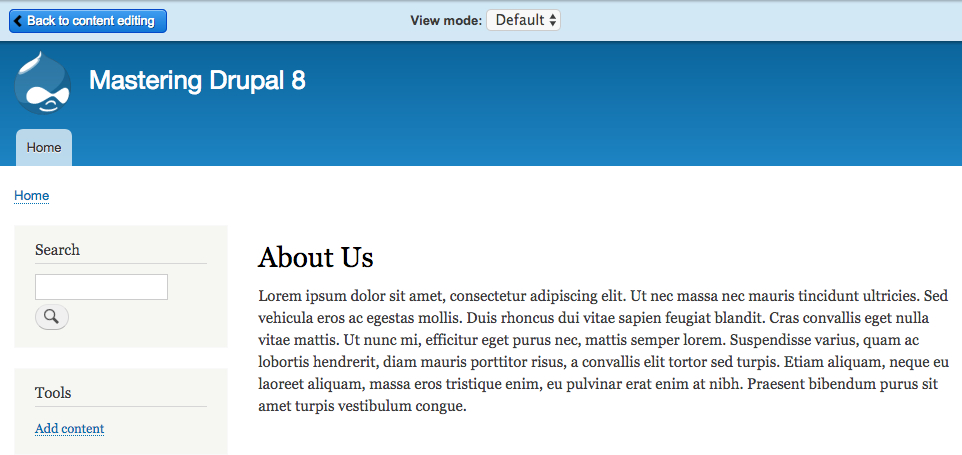
The display modes enabled on each content type will determine what choices are available in the View mode dropdown. For our example, we can switch between the Default and Teaser displays. Once we are done previewing the content, we can switch back to the Add Basic page screen by selecting the Back to content editing button.
Once we are back on the Create Basic page screen, we can save our new page by clicking on the Save and publish button. We will revisit the content as we review the Publishing options.