
Now we do want to add a little error handling inside of our callback function. We'll handle errors on the error object, and we'll also handle errors that come back from the forecast.io servers. First up, just like we did for the geocoding API, we'll check if error exists. If it does, that means that we were unable to connect to the servers, so we can print a message that relays that message to the user, console.log something like Unable to connect to forecast.io server.:
request({
 url: 'https://api.forecast.io/forecast/4a04d1c42fd9d32c97a2c291a32d5e2d/39.9396284,-75.18663959999999',
 json: true
}, (error, response, body) => {
  if (error){
    console.log('Unable to connect to Forecast.io server.');
  }
  console.log(body.currently.temperature);
});
Now that we've handled general errors, we can move on to a specific error that the forecast.io API throws. This happens when the format of the URL, the latitude and longitude, is not correct.
For example, if we delete some numbers including the comma in the URL, and hit enter we'll get a 400 Bad Request:
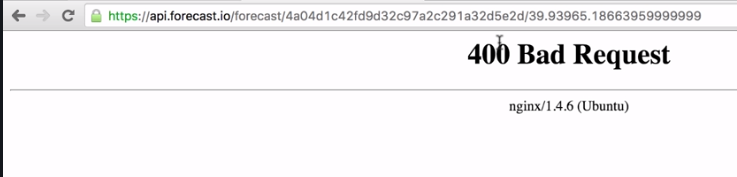
This is the actual HTTP status code. If you remember from the geolocation API we had a body.status property that was either OK or ZERO_RESULTS. This is similar to that property, only this uses the HTTP mechanisms instead of some sort of custom solution that Google used. In our case, we'll want to check if the status code is 400. Now if we have a bad API key, I'll add a couple e's in the URL, we'll also get a 400 Bad Request:
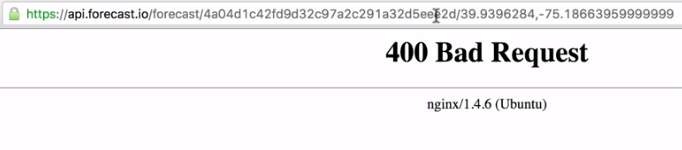
So both of these errors can be handled using the same code.
Inside of Atom, we can handle this by checking the status code property. After our if statement closing curly brace, we'll add else if block, else if (response.statusCode), this is the property we looked at when we looked at the response argument in detail. response.statusCode will be equal to 400 if something went wrong, and that's exactly what we'll check for here:
if (error){
  console.log('Unable to connect to Forecast.io server.');
} else if (response.statusCode === 400) {

}
If the status code is 400 we'll print a message, console.log('Unable to fetch weather'):
if (error){
  console.log('Unable to connect to Forecast.io server.');
} else if (response.statusCode === 400) {
  console.log('Unable to fetch weather.');
}
Now we've handled those two errors, and we can move on to the success case. For this we'll add another else if block with response.statusCode equals 200. The status code will equal 200 if everything went well, in that case we'll print the current temperature to the screen.
I'll cut the console.log(body.currently.temperature) line out and paste it inside of the else if code block:
  if (error){
    console.log('Unable to connect to Forecast.io server.');
  } else if (response.statusCode === 400) {
    console.log('Unable to fetch weather.');
  } else if (response.statusCode === 200) {
    console.log(body.currently.temparature);
  }
});