
Helpers can also take arguments, and this is really useful. Let's create a second helper that's going to be a capitalization helper. We'll call the helper screamIt and its job will be to take some text and it will return that text in uppercase.
In order to do this, we will be calling hbs.registerHelper again. This helper will be called screamIt, and it will take a function because we do need to run some code in order to do anything useful:
hbs.registerHelper('getCurrentYear', () => {
  return new Date().getFullYear()
});

hbs.registerHelper('screamIt', () => {

});
Now screamIt is going to take text to scream and all it will do is call on that string the toUpperCase method. We'll return text.toUpperCase, just like this:
hbs.registerHelper('screamIt', (text) => {
  return text.toUpperCase();
});
Now we can actually use screamIt in one of our files. Let's move into home.hbs. Here, we have our welcome message in the p tag. We'll remove it and we'll scream the welcome message. In order to pass data into one of our helpers, we first have to reference the helper by name, screamIt, then after a space we can specify whatever data we want to pass in as arguments.
In this case, we'll pass in the welcome message, but we could also pass in two arguments by typing a space and passing in some other variable which we don't have access to:
<!DOCTYPE html>
<html>
  <head>
    <meta charset="utf-8">
    <title>Some Website</title>
  </head>
  <body>
    {{> header}}

    <p>{{screamIt welcomeMessage}}</p>

    {{> footer}}
  </body>
</html>
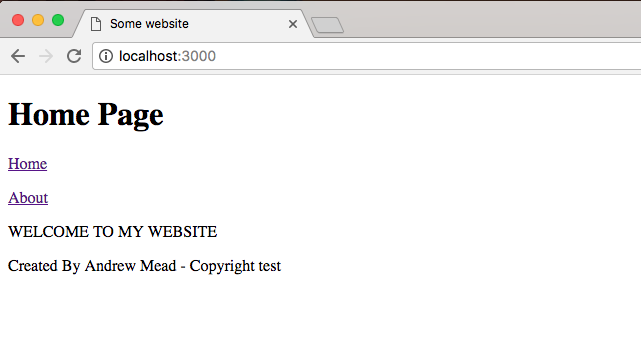
For now, we'll use it like this, which means we'll call the screamIt helper, passing in one argument welcomeMessage. Now we can save home.hbs, move back into the browser, go to the Home Page and as shown following, we get WELCOME TO MY WEBSITE in all uppercase:
Using handlebars helpers, we can create both functions that don't take arguments and functions that do take arguments. So when you need to do something to the data inside of your web page, you can do that with JavaScript. Now that we have this in place, we are done.