
Let's come up with some things that we want to make dynamic inside our handlebars file. First up, we'll make this h1 tag dynamic so the page name gets passed into the template in about.hbs page, and we'll also add a footer. For now, we'll just make that a simple footer tag:
    <footer>

    </footer>
  </body>
</html>
Inside of the footer, we'll add a paragraph and that paragraph will have the copyright for our website. We'll just say something like copyright followed by the year, which is 2018:
    <footer>
      <p>Copyright 2018</p>
    </footer>
Now year should also be dynamic, so that as the years change, we don't have to manually update our markup. We'll look at how to make both the 2018 and the about page dynamic, which means they're getting passed in instead of being typed in the handlebars file.
In order to do this, we'll have to do two things:
- We'll have to pass some data into the template. This will be an object a set of key value pairs, and
- We'll have to learn how to pull off some of those key-value pairs inside of our handlebars file
Passing in data is pretty simple. All we have to do is specify a second argument to res.render in server.js. This will take an object, and on this object we can specify whatever we like. We might have a pageTitle that gets set equal to About Page:
app.get('/about', (req, res) => {
  res.render('about.hbs', {
    pageTitle: 'About Page'
  });
});
We have one piece of data getting injected in the template. It's not used yet but it is indeed getting injected. We could also add another one like currentYear. We'll put currentYear next to the pageTitle and we'll set currentYear equal to the actual year off of the date JavaScript constructor. This will look something like this:
app.get('/about', (req, res) => {
  res.render('about.hbs', {
    pageTitle: 'About Page',
    currentYear: new Date().getFullYear()
  });
});
We'll create a new date which makes a new instance of the date object. Then, we'll use a method called getFullYear, which returns the year. In this case, it would return 2018, just like this .getFullYear. Now we have a pageTitle and a currentYear. These are both getting passed in, and we can use them.
In order to use these pieces of data, what we have to do inside of our template is use that handlebars syntax which looks a little bit like shown in the following code. We start by opening up two curly braces in the h1 tag, then we close two curly braces. Inside the curly braces, we can reference any of the props we passed in. In this case, let's use pageTitle, and inside our copyright paragraph, we'll use, inside of double curly braces, currentYear:
  <body>
    <h1>{{pageTitle}}</h1>
    <p>Some text here</p>

    <footer>
      <p>Copyright 2018</p>
    </footer>
  </body>
</html>
With this in place, we now have two pieces of dynamic data getting injected inside our application. Now nodemon should have restarted in the background, so there's no need to manually do anything there. When we refresh the page, we do still get About Page, which is great:
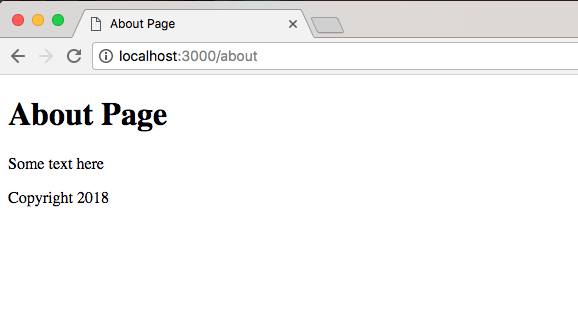
This comes from the data we defined in server.js, and we get Copyright 2018 showing up. Well this web page is pretty simple and doesn't look that interesting. At least you know how to create those servers and inject that data inside your web page. All you have to do from here is add some custom styles to get things looking nice.
Before we go ahead, let's move into the about file and swap out the title. Currently, it says Help Page. That's left over from the public folder. Let's change it to Some Website:
<!DOCTYPE html>
<html>
  <head>
    <meta charset="utf-8">
    <title>Some Website</title>
  </head>
  <body>
    <h1>{{pageTitle}}</h1>
    <p>Some text here</p>

    <footer>
      <p>Copyright 2018</p>
    </footer>
  </body>
</html>
Now that we have this in place. Next, we'll create a brand new template and that template is going to get rendered when someone visits the root of our website, the / route. Now currently, we render some JSON data:
app.get('/', (req, res) => {
  // res.send('<h1>Hello Express!</h1>');
  res.send({
    name: 'Andrew',
    likes: [
      'Biking',
      'Cities'
    ]
  });
What we want to do is replace this with a call to response.render, rendering a brand new view.