
Now as I mentioned earlier, some libraries support promises while others don't. The request library does not support promises. We will make a function that wraps request, returning a promise. We'll use some functionalities from the geocode.js file from the previous chapter.
First, let's discuss a quick setup, and then we'll actually fill it out. In the playground folder, we can make a new file to store this, called promise-2.js:
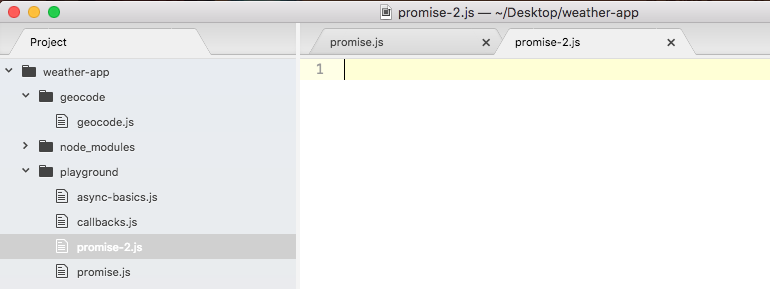
We'll make a function called geocodeAddress. The geocodeAddress function will take the plain text address, and it will return a promise:
var geocodeAddress = (address) => {

};
The geocodeAddress function will return a promise. So if I pass in a ZIP code, such as 19146, I would expect a promise to come back, which I can attach a then call to. This will let me wait for that request to finish. Right here, I'll tack on a call to then, passing in my two functions: the success handler for when the promise is fulfilled and the error handler for when the promise is rejected:
geocodeAddress('19146').then(() => {

}, () => {

})
Now when things go well, I'll expect the location object with the address, the latitude, and the longitude, and when things go poorly, I'll expect the error message:
geocodeAddress('19146').then((location) => {

}, (errorMessage) => {

})
When the error message happens, we'll just print it to the screen using console.log (errorMessage). For now, when things go well and the success case runs, we'll just print that entire object using our pretty printing technique, console.log. Then, we'll call JSON.stringify, like we've done many times before, passing in the three arguments—the object, undefined for the filter method—which we'll never use in the book, and the number 2 for the number of spaces we'd like to use as our indentation:
geocodeAddress('19146').then((location) => {
 console.log(JSON.stringify(location, undefined, 2));
}, (errorMessage) => {
 console.log(errorMessage);
});
This is what we want to create, the function that lets this functionality work as expected. This then call should work as shown in the previous code.
To get started I'll return the promise by calling: return new Promise, passing in my constructor function:
var geocodeAddress = (address) => {
 return new Promise(() => {

 });
};
Inside the function, we'll add that call to request. Let's provide the resolve and reject arguments:
 return new Promise((resolve, reject) => {
 });
};
Now that we have our Promise set up, we can load in the request module on top of the code, creating a constant called request and setting that equal to the return result from require('request'):
const request = require('request');

var geocodeAddress = (address) => {
Next, we'll move into the geocode.js file, grab code inside the geocodeAddress function, and move it over into promise-2 file, inside of the constructor function:
const request = require('request');
var geocodeAddress = (address) => {
 return new Promise((resolve, reject) => {
 var encodedAddress = encodeURIComponent(address);

request({
 url: `https://maps.googleapis.com/maps/api/geocode/json?address=${encodedAddress}`,
 json: true
 }, (error, response, body) => {
   if (error) {
   callback('Unable to connect to Google servers.');
 } else if (body.status === 'ZERO_RESULTS') {
   callback('Unable to find that address.');
 } else if (body.status === 'OK') {
   callback(undefined, {
     address: body.results[0].formatted_address,
     latitude: body.results[0].geometry.location.lat,
     longitude: body.results[0].geometry.location.lng
     });
    }
   });
 });
};
Now we are mostly good to go; we only need to change a few things. The first thing we need to do is to replace our error handlers. In the if block of the code, we have called our callback handler with one argument; instead, we'll call reject, because if this code runs, we want to reject the promise. We have the same thing in the next else block. We'll call reject if we get ZERO_RESULTS. This is indeed a failure, and we do not want to pretend we succeeded:
if (error) {
   reject('Unable to connect to Google servers.');
 } else if (body.status === 'ZERO_RESULTS') {
   reject('Unable to find that address.');
Now in the next else block, this is where things did go well; here we can call resolve. Also, we can remove the first argument, as we know resolve and reject only take one argument:
if (error) {
  reject('Unable to connect to Google servers.');
 } else if (body.status === 'ZERO_RESULTS') {
   reject('Unable to find that address.');
 } else if (body.status === 'OK') {
   resolve(
We are able to specify multiple values though, because we resolve an object with properties on it. Now that we have this in place, we are done. We can actually save our file, rerun it inside Terminal, and test things out.