
Now we can also chain together multiple assertions. For example, we could assert that the value that comes back from add is a number. This can be done using another assertion. So let's head into the docs and take a look. Inside Chrome, we'll scroll down through the assertion docs list. There are a lot of methods. We'll be exploring some of them. In this case, we're looking for toBeA, the method that takes a string:
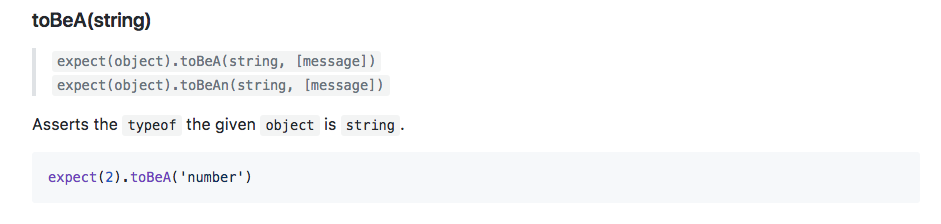
This takes the string type and it uses the typeof operator to assert that the value is of a certain type. Here we're expecting 2 to be a number. We can do that exact same thing over in our code. Inside Atom, right after toBe, we can chain on another call, toBeA, followed by the type. This could be something like a string, it could be something like an object, or in our case, it could be a number, just like this:
const expect = require('expect');

const utils = require('./utils');

it('should add two numbers', () => {
  var res = utils.add(33, 11);

  expect(res).toBe(44).toBeA('number');
  // if(res !== 44) {
  //   throw new Error(`Expected 44, but got ${res}.`)
  //}
});
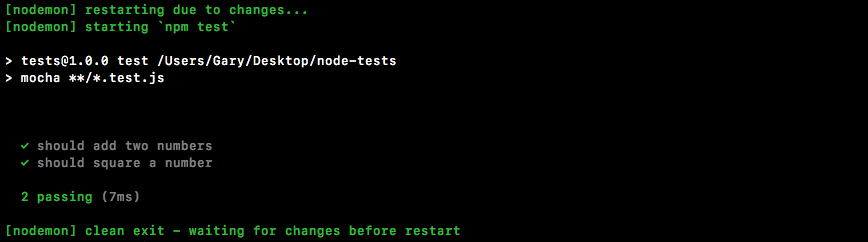
We'll open up the Terminal so we can see the results. It's currently hidden. Save the file. Our tests will rerun and we can see they're both passing:
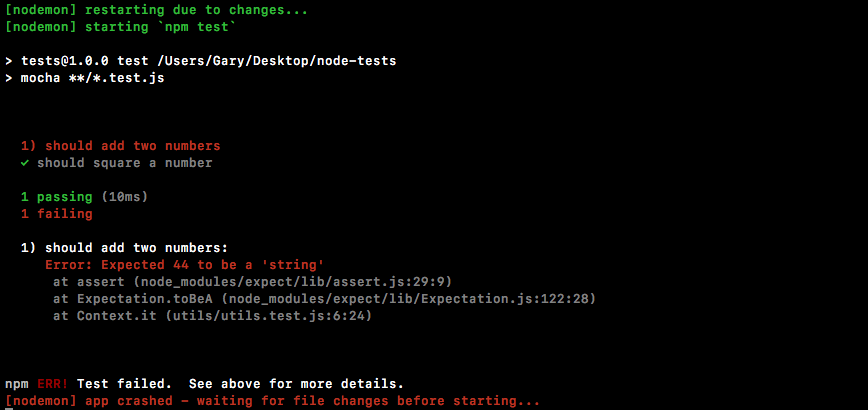
Let's use a different type, something that was going to cause the test to fail for example string:
expect(res).toBe(44).toBeA('string');
We would then get an error message, Expected 44 to be a string:
This is really useful. It'll help us clean up our errors really quickly. Let's change the code back to number and we are good to go.