
Now that we have the footer partial in place, let's create the header partial. That means we'll need to create a brand new file header.hbs. We'll want to add the h1 tag inside that file and then we'll render the partial in both about.hbs and home.hbs. Both pages should still look the same.
We'll get started by creating a new file in the partials folder called header.hbs.
Inside header.hbs, we'll take the h1 tag from our website, paste it right inside and save it:
<h1>{{pageTitle}}</h1>
Now we can use this header partial in both about and home files. Inside of about, we need to do this using the syntax, the double curly braces with the greater than sign, followed by the partial name header. We'll do the exact same thing for the home page. In the home page, we'll delete our h1 tag, inject the header and save the file:
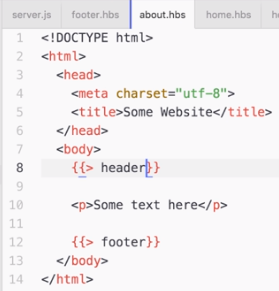
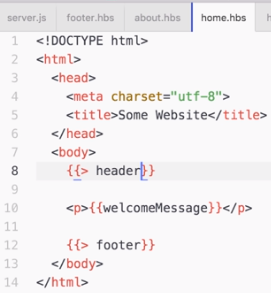
Now we'd create something slightly different just so we can test that it actually is using the partial. We'll type 123 right after the h1 tag in header.hbs:
<h1>{{pageTitle}}</h1>123
Now that all the files are saved, we should be able to refresh the browser, and we see about page with 123 printing, which is fantastic:
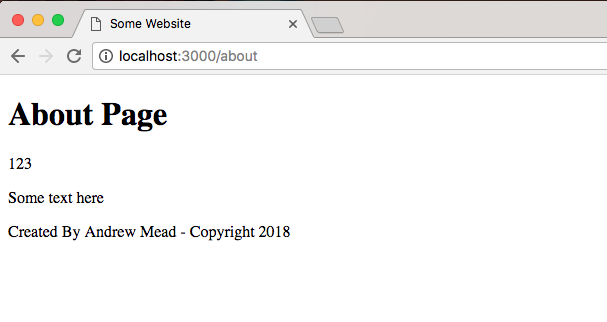
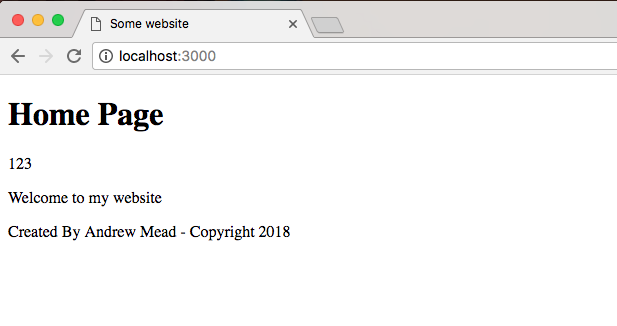
This means the header partial is indeed working, and if I go back to the home page, everything still looks great:
Now that we have the header broken out into its own file, we can do all sorts of things. We can take our h1 tag and put it inside of a header tag, which is the appropriate way to declare your header inside of HTML. As shown, we add an opening and closing header tag. We can take the h1 and we can move it right inside:
<header>
 <h1>{{pageTitle}}</h1>
</header>
We could also add some links to the other pages on our website. We could add an anchor tag for the homepage by adding an a tag:
<header>
 <h1>{{pageTitle}}</h1>
 <p><a></a></p>
</header>
Inside the a tag, we'll specify the link text we'd like to show up. I'll go with Home, then inside the href attribute, we can specify the path the link should take you to, which would just be /:
<header>
 <h1>{{pageTitle}}</h1>
 <p><a href="/">Home</a></p>
</header>
Then we can take the same paragraph tag, copy it and paste it in the next line and make a link for the about page. I'll change the page text to About, the link text, and the URL instead of going to / will go to /about:
<header>
 <h1>{{pageTitle}}</h1>
 <p><a href="/">Home</a></p>
 <p><a href="/about">About</a></p>
</header>
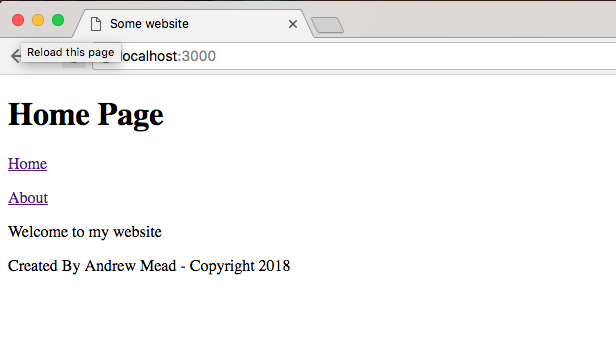
Now we've made a change to our header file and it will be available on all of the pages of our website. I'm on the home page. If I refresh it, I get Home and About page links:
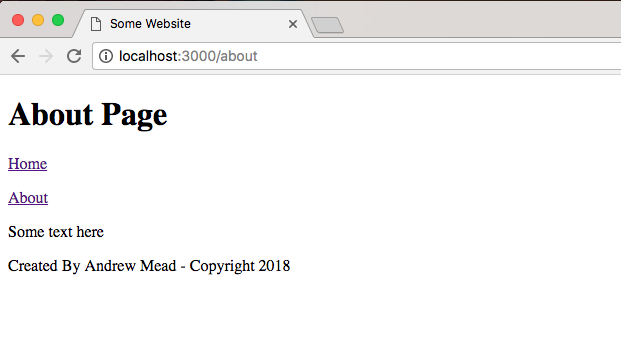
I can click on the About to go to the About Page:
Similarly, I can click on Home to come right back. All of this is much easier to manage now that we have partials inside of our website.