
Now that you know a little bit about the debugger, I want you to use it inside our notes application. What we will do inside notes.js is add the debugger statement in logNote function as the first line of the function. Then I will run the program in debug mode, passing in some arguments that will cause logNote to run; for example, reading a note, after the note gets fetched, it's going to call logNote.
Now, once we have the debugger keyword in the logNote function and run it in debug mode with those arguments, the program should stop at this point. Once the program starts in debug mode, we'll use c to continue, and it'll pause. Next, we'll print out the note object and make sure it looks okay. Then, we can quit repl and quit the debugger.
Now, first we are adding the debugger statement right here:
var logNote = (note) => {
  debugger;
  console.log('--');
  console.log(`Title: ${note.title}`);
  console.log(`Body: ${note.body}`);
};
We can save the file, and now we can move into Terminal; there's no need to do anything else inside our app.
Inside Terminal we're going to run our app.js file, node debug app.js, because we want to run the program in debug mode. Then we can pass in our arguments, let's say the read command, and I'll pass in a title, "to buy" as shown here:
node debug app.js read --title="to buy"
In this case I have a note with the title "to buy", as shown here:
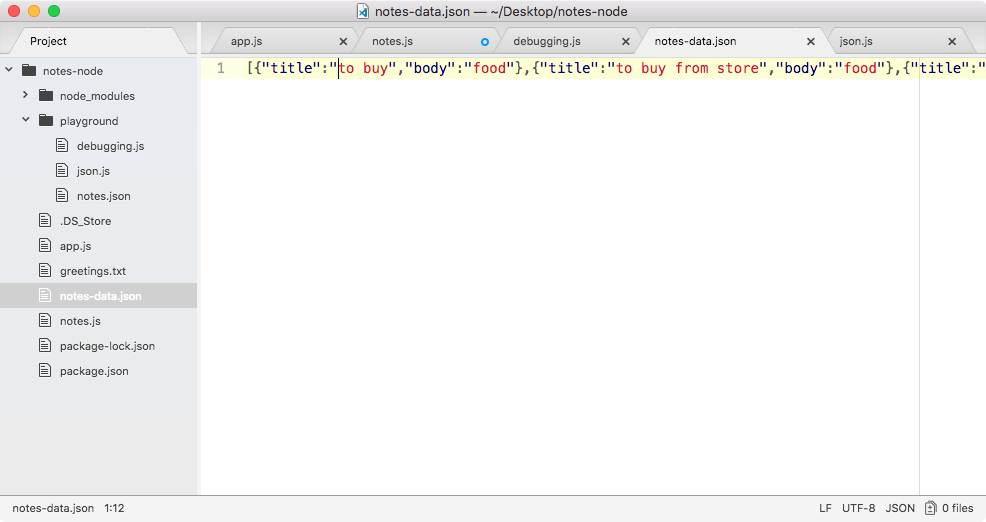
Now, when I run the preceding command, it's going to pause before that first statement runs, this is expected:

I can now use c to continue through the program. It's going to run as many statements as it takes for either the program to end or for the debugger keyword to be found, and as shown in the following code, you can see the debugger was found and our program has stopped on line 49 of notes.js:
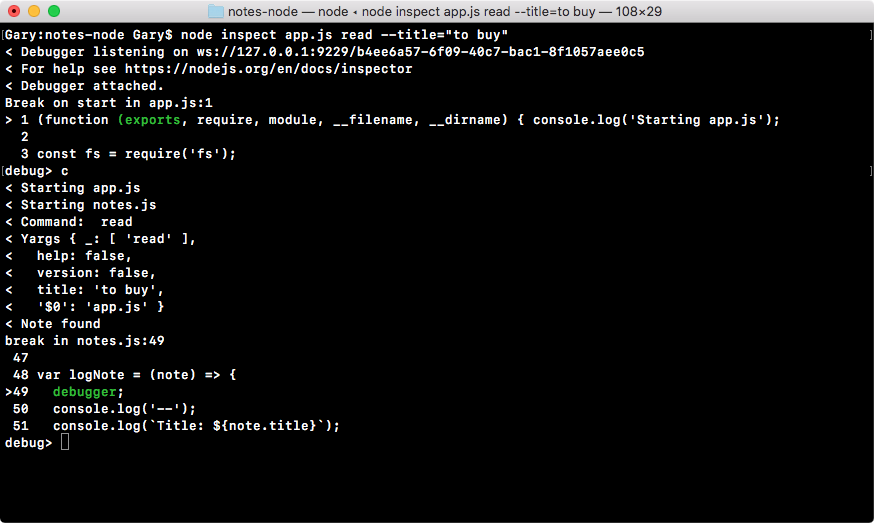
This is exactly what we wanted to do. Now, from here, I'll go into repl and print out note argument, and as shown in the following code, you can see we have the note with the title of to buy and the body food:
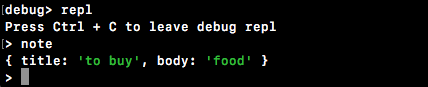
Now, if there was an error in this statement, maybe the wrong thing was printing to the screen, this would give us a pretty good idea as to why. Whatever gets passed into the note is clearly being used inside of the console.log statements, so if there was an issue with what's printing, it's most likely an issue with what gets passed into the logNote function.
Now that we've printed the note variable, we can shut down repl, and we can use control + C or quit to quit the debugger.
Now we're back at the regular Terminal and we have successfully completed the debugging inside the Node application. In the next section, we're going to look at a different way to do the same thing, a way with a much nicer graphic user interface that I find a lot easier to navigate and use.