
To get started, let's make a fake module. This module will have some functions and we'll test those functions. In the root of the project, we'll create a brand new directory and I'll call this directory utils:

We can assume this will store some utility functions, such as adding a number to another number, or stripping out whitespaces from a string, anything kind of hodge-podge that doesn't really belong to any specific location. We'll make a new file in the utils folder called utils.js, and this is a similar pattern to what we did when we created the weather and location directories in our weather app in the previous chapter:
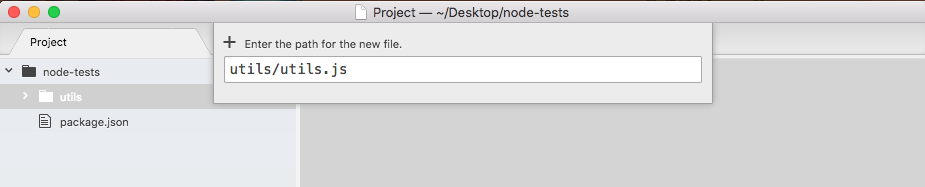
You're probably wondering why we have a folder and a file with the same name. This will be clear when we start testing.
Now before we can write our first test case to make sure something works, we need something to test. I'll make a very basic function that takes two numbers and adds them together. We'll create an adder function as shown in the following code block:
module.exports.add = () => {

}
This arrow function (=>) will take two arguments, a and b, and inside the function, we'll return the value a + b. Nothing too complex here:
module.exports.add = () => {
  return a + b;
};
Now since we just have one expression inside our arrow function (=>) and we want to return it, we can actually use the arrow function (=>) expression syntax, which lets us add our expression as shown in the following code, a + b, and it'll be implicitly returned:
module.exports.add = (a, b) => a + b;
There's no need to explicitly add a return keyword on to the function. Now that we have utils.js ready to go, let's explore testing.
We'll be using a framework called Mocha in order to set up our test suite. This will let us configure our individual test cases and also run all of our test files. This will be really important for creating and running tests. The goal here is to make testing simple and we'll use Mocha to do just that. Now that we have a file and a function we actually want to test, let's explore how to create and run a test suite.