
To get started, we'll duplicate the about.hbs file so we can start customizing it for our needs. We'll duplicate it, and call this one home.hbs:
<!DOCTYPE html>
<html>
  <head>
    <meta charset="utf-8">
    <title>Some Website</title>
  </head>
  <body>
    <h1>{{pageTitle}}</h1>
    <p>Some text here</p>

    <footer>
      <p>Copyright 2018</p>
    </footer>
  </body>
</html>
Now from here most things are going to stay the same. We'll keep the pageTitle in place. We'll also keep the Copyright and footer following. What we want to change though is this paragraph. It was fine that the About Page as a static one, but for the home page, we'll set it equal to, inside curly braces, the welcomeMessage property:
  <body>
    <h1>{{pageTitle}}</h1>
    <p>{{welcomeMessage}}</p>

    <footer>
      <p>Copyright {{currentYear}}</p>
    </footer>
  </body>
Now welcomeMessage is only going to be available on home.hbs, which is why we have specifying it in home.hbs but not in about.hbs.
Next up, we needed to call response render inside of the callback. This will let us actually render the page. We'll add response.render, passing in the template name we want to render. This one is called home.hbs. Then we'll pass in our data:
app.get('/', (req, res) => {
  res.render('home.hbs', {

  })
});
Now to get started, we can pass in the page title. We'll set this equal to Home Page and we'll pass in some sort of generic welcome message - Welcome to my website. Then we'll pass in the currentYear, and we already know how to fetch the currentYear: new Date(), and on the date object, we'll call the getFullYear method:
 res.render('home.hbs', {
    pageTitle: 'Home Page',
    welcomeMessage: 'Welcome to my website',
    currentYear: new Date().getFullYear()
  })
With this in place, all we needed to do is save the file, which is automatically going to restart the server using nodemon and refresh the browser. When we do that, we get the following:
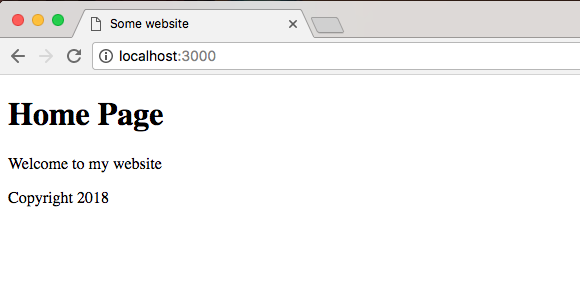
We get our Home Page title, our Welcome to my website message, and my copyright with the year 2018. And if we go to /about, everything still looks great. We have our dynamic page title and copyright and we have our static some text here text:
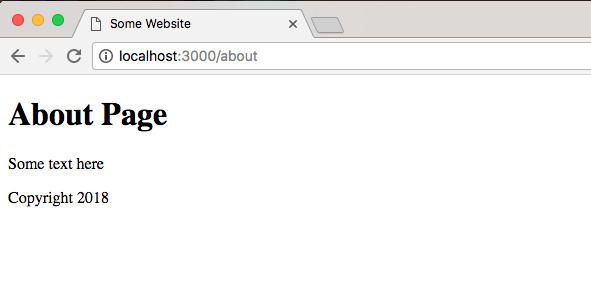
With this in place, we are now done with the very basics of handlebars. We see how this can be useful inside of a real-world web app. Aside from a realistic example such as the copyright, other reasons you might use this is to inject some sort of dynamic user data - things such as a username and email or anything else.
Now that we have a basic understanding about how to use handlebars to create static pages, we'll look at some more advanced features of hbs inside the next section.