
In our case, we are repeating ourselves. It would be best to break this out into a function that we can call from both places. In order to do this, all we're going to do is make a function in notes.js called logNote.
Now, in notes.js, down following the removeNote function, we can make that brand new function a variable called logNote. This is going to be a function that takes one argument. This argument will be the note object because we want to print both the title and the body. As shown here, we'll expect the note to get passed in:
var logNote = (note) => {

};
Now, filling out the logNote function is going to be really simple, especially when you're solving a DRY issue, because you can simply take the code that's repeated, cut it out, and paste it right inside the logNote function. In this case the variable names line up already, so there is no need to change anything:
var logNote = (note) => {
  console.log('--');
  console.log(`Title: ${note.title}`);
  console.log(`Body: ${note.body}`);
};
Now that we have the logNote function in place, we can change things over in app.js. In app.js, where we have removed the console.log statements we can call notes.logNote, passing in the note object just like this:
else if (command === 'read') {
  var note = notes.getNote(argv.title);
  if (note) {
    console.log('Note found');
    notes.logNote(note);
  } else {
    console.log('Note not found');
 }
And we can do the same thing in case of the add command if block. I can remove these three console.log statements and call notes.logNote, passing in note:
if (command === 'add') {
  var note = notes.addNote(argv.title, argv.body);
  if (note) {
    console.log('Note created');
    notes.logNote(note);
 } else {
   console.log('Note title taken');
 }
And now that we have this in place, we can rerun our program and hopefully what we see is the exact same functionality.
The last thing to do before we rerun the program is export the logNote function in exports module in notes.js file. LogNote is going to get exported and we're using the ES6 syntax to do that:
module.exports = {
  addNote,
  getAll,
  getNote,
  removeNote,
  logNote
};
With this in place, I can now rerun the previous command from Terminal using up and hit enter:
node app.js read --title="to buy"
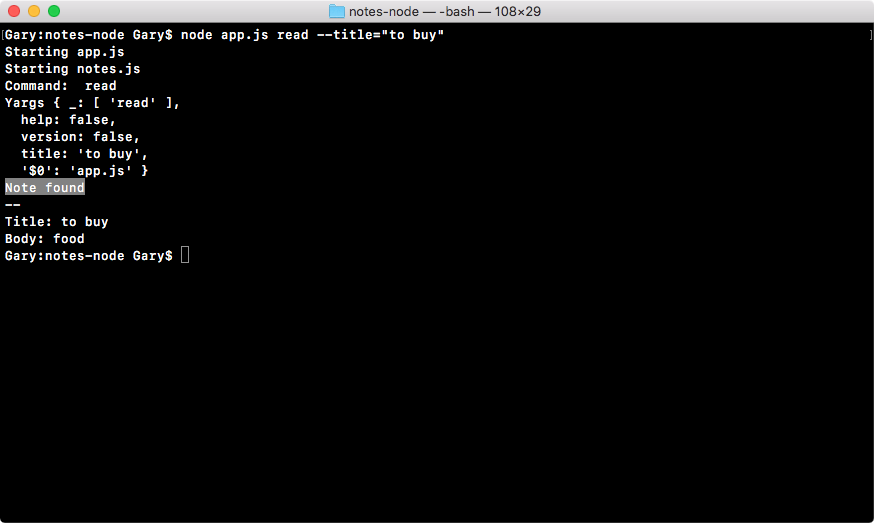
As shown, we get Note found printing to the screen, with the title and the body just like we had before. I'm also going to test out the add command to make sure that one's working, node app.js add; we will use a title of things to do and a body of go to post office:
node app.js add --title="things to do" --body="go to post office"
Now, when I hit enter, we would expect the same log to print as it did before for the add command, and that's exactly what we get:
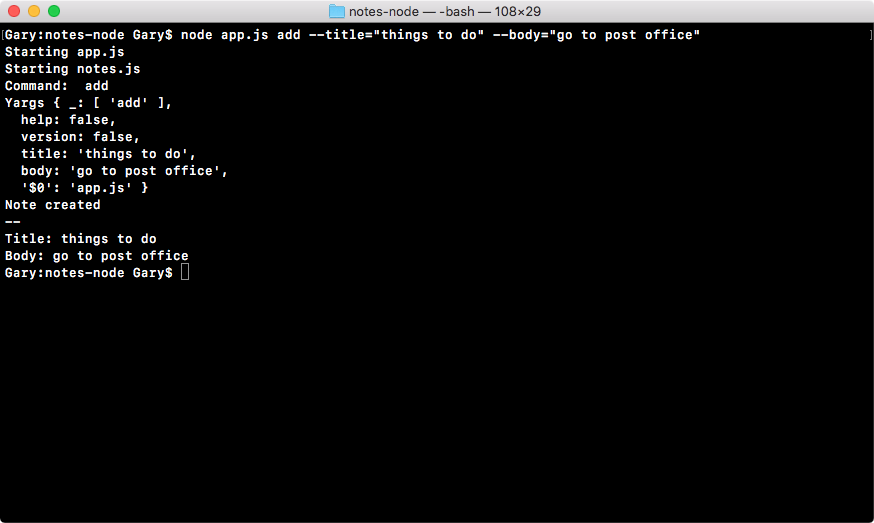
Note created prints, we get our spacer, and then we get our title and our body.
In the next section, we're going to cover one of the most important topics in the book; which is debugging. Knowing how to properly debug programs is going to save you literally hundreds of hours over your Node.js career. Debugging can be really painful if you don't have the right tools, but once you know how it's done, it really isn't that bad and it can save you a ton of time.