
Inside app.use, we're going to get started by creating a logger that will log out all of the requests that come in to the server. We'll store a timestamp so we can see exactly when someone made a request for a specific URL.
To get started inside the middleware, let's get the current time. I'll make a variable called now, setting it equal to newDate, creating a new instance of our date object, and I'll call it toString method:
app.use((req, res, next) => {
 var now = new Date().toString();
 next();
});
The toString method creates a nice formatted date, a human-readable timestamp. Now that we have our now variable in place, we can start creating the actual logger by calling console.log.
Let's call console.log, passing in whatever I like. Let's pass in inside of ticks the now variable with a colon after:
app.use((req, res, next) => {
  var now = new Date().toString();

  console.log(`${now};`)
  next();
});
Now if I save my file, things are going to restart in the Terminal because nodemon is running. When we make a request for the site again and we go into the Terminal, we should see the log:

Currently it's just a timestamp, but we are on the right track. Now everything is working because we called next, so after this console.log call prints to the screen, our application continues and it serves up the page.
Inside middleware, we can add on more functionality by exploring the request object. On the request object, we have access to everything about the request—the HTTP method, the path, query parameters, and anything that comes from the client. Whether the client is an app, a browser, or an iPhone, it is all going to be available in that request object. Two things we'll pull off now are the HTTP method and the path.
If you want to look at a full list of the things you have access to, you can go to expressjs.com, and go to API reference:
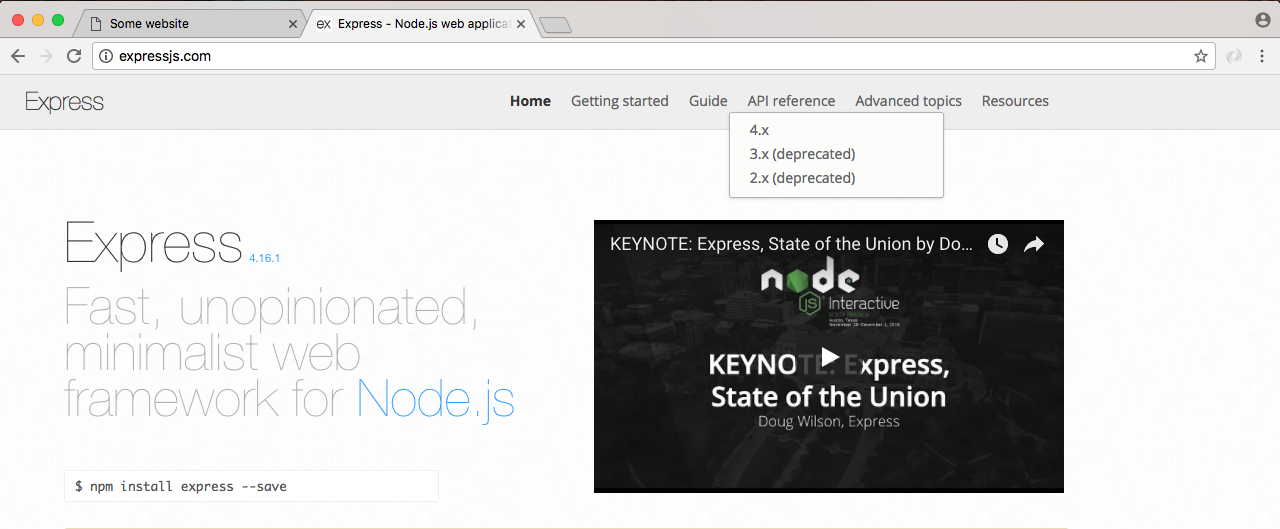
We happen to be using a 4.x version of Express, so we'll click that link:
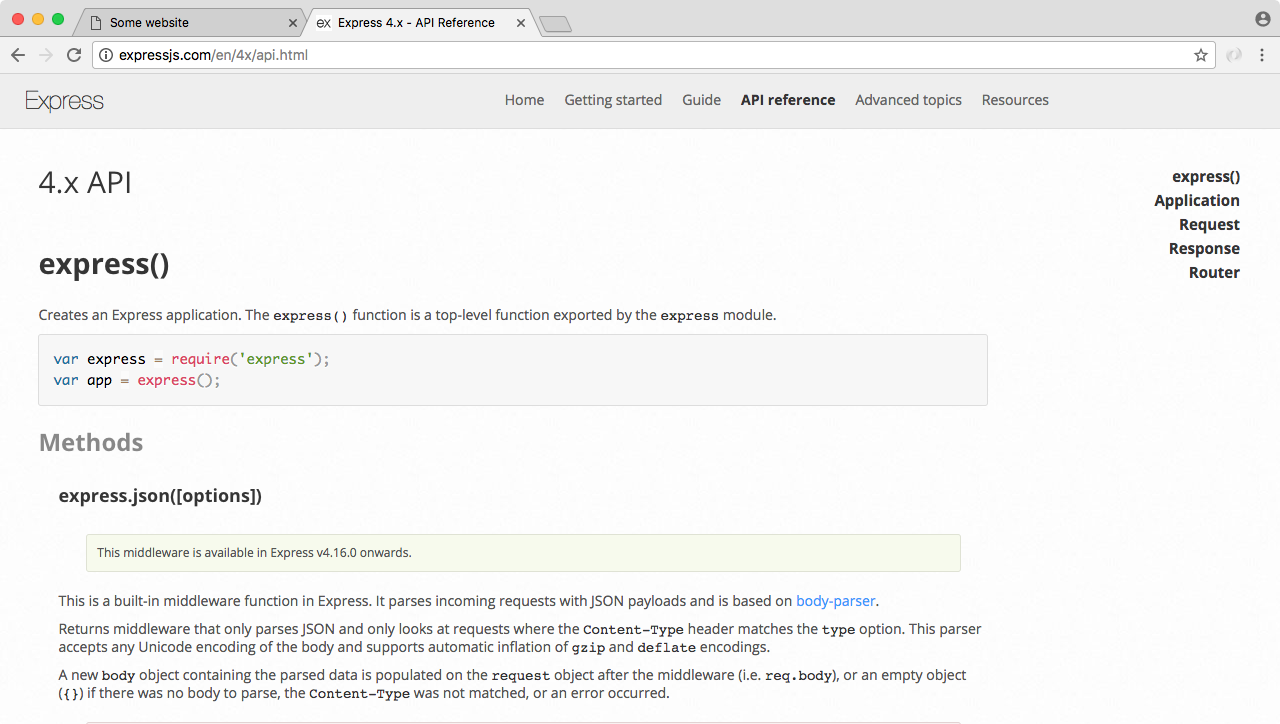
On the right-hand side of this link, we have both Request and Response. We'll look for the request objects, so we'll click that. This'll lead us to the following:
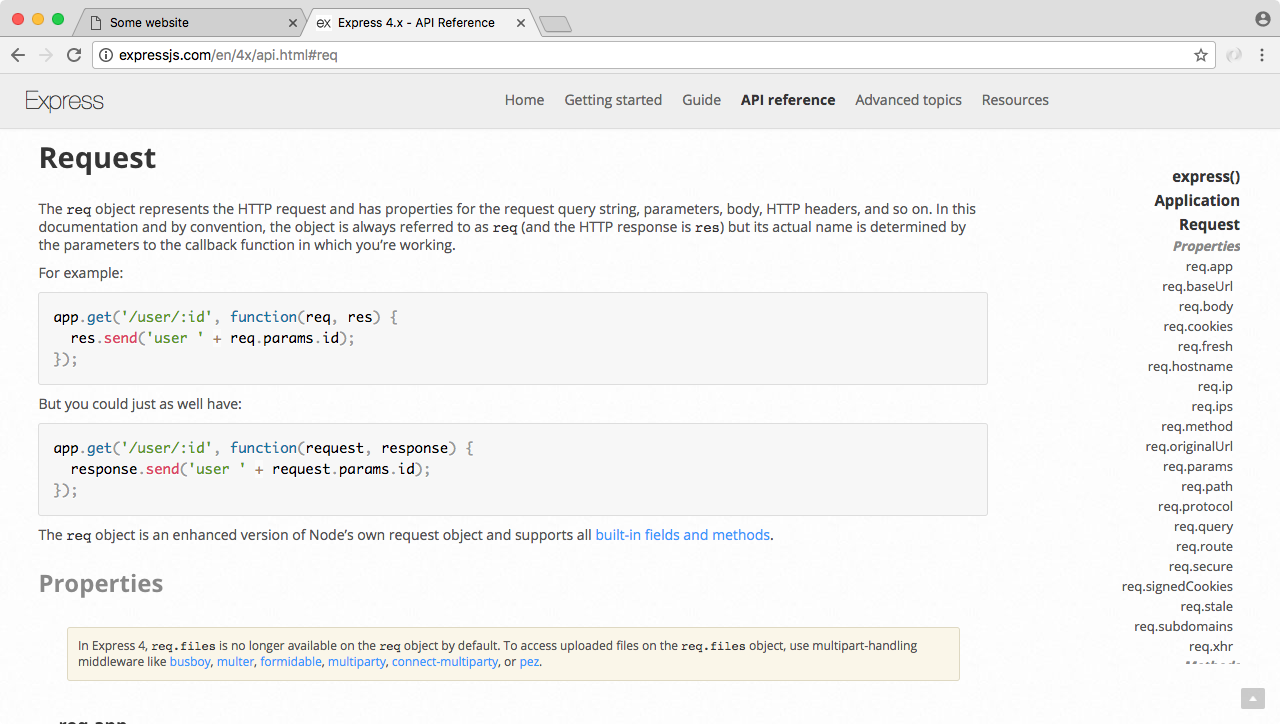
We'll be using two request properties: req.url and req.method. Inside Atom, we can start implementing those, adding them into console.log. Right after the timestamp, we'll print the HTTP method. We'll be using other methods later. For now we've only used the get method. Right inside the console.log, I'll inject request.method printing it to the console:
app.use((req, res, next) => {
  var now = new Date().toString();

  console.log(`${now}: ${req.method}`)
  next();
});
Next up we can print the path so we know exactly what page the person requested. I'll do that by injecting another variable, req.url:
console.log(`${now}: ${req.method} ${req.url}`);
With this in place, we now have a pretty useful piece of middleware. It takes the request object, it spits out some information and then it moves on, letting the server process that request which was added. If we save the file and rerun the app from the browser, we should be able to move into the Terminal and see this new logger printing to the screen, and as shown following we get just that:

We have our timestamp, the HTTP method which is GET, and the path. If we change the path to something more complicated, such as /about, and we move back into the Terminal, we'll see the /about where we accessed req.url:

Now this is a pretty basic example of some middleware. We can take it a step further. Aside from just logging a message to the screen, we'll also print the message to a file.