
To show the error handling request with JSON, we're going to call app.get. This app.get is going to let us register another handler for a get HTTP request. In our case the route we're looking for inside of quotes is going to be /bad. When someone makes a request for this page, what we want to do is going to be specified in the callback. The callback will take our two arguments, req and res. We'll use an arrow function (=>), which I've used for all of the handlers so far:
app.get('/bad', (req, res) => {

  });

app.listen(3000);
Inside the arrow function (=>), we'll send back some JSON by calling res.send. But instead of passing in a string, or some string HTML, we'll pass in an object:
app.get('/bad', (req, res) => {
  res.send({

  });
});
Now that we have our object in place we can specify the properties we want to send back. In this case we'll set one errorMessage. We'll set my error message property equal to a string, Unable to handle request:
app.get('/bad', (req, res) => {
  res.send({
    errorMessage: 'Unable to handle request'
  });
});
Next up we'll save the file, restarting it in nodemon, and visit it in the browser. Make sure our error message showed up correctly. In the browser, we'll visit /bad, hit enter, and this is what we get:
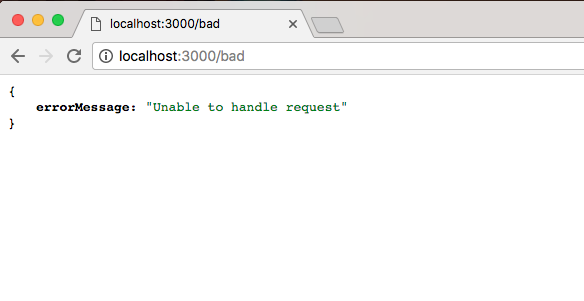
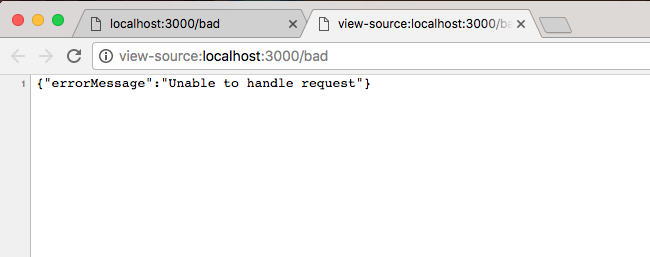
We get our JSON showing up using JSON view. We have our error message, and we have the message showing up: Unable to handle request. Now if you are using JSON view and you want to view the raw JSON data, you can actually click on View source, and it will show it in a new tab. Here, we're looking at the raw JSON data, where everything is wrapped in those double quotes:
I'll stick to the JSON view data because it's a lot easier to navigate and view. We now have a very basic Express application up and running. It listens on port 3000 and it currently has handlers for 3 URLs: when we get the root of the page, when we get /about, and when we make a get request for /bad.