
Let's go ahead and start exploring the assertion libraries. First up, let's install the module inside the Terminal by running npm install. The module name itself is called expect and we'll grab the most recent version, @1.20.2. Once again, we'll be using the save-dev flag like we did with Mocha. Because we do indeed want to save this dependency in package.json, but it's a dev dependency, it's not required for the application to run whether it's on Heroku or some other service:
npm install expect@1.20.2 --save-dev
Let's go ahead and install this dependency.

Then we can move to the application, and check out the package.json file, as shown in the following screenshot, it looks great:
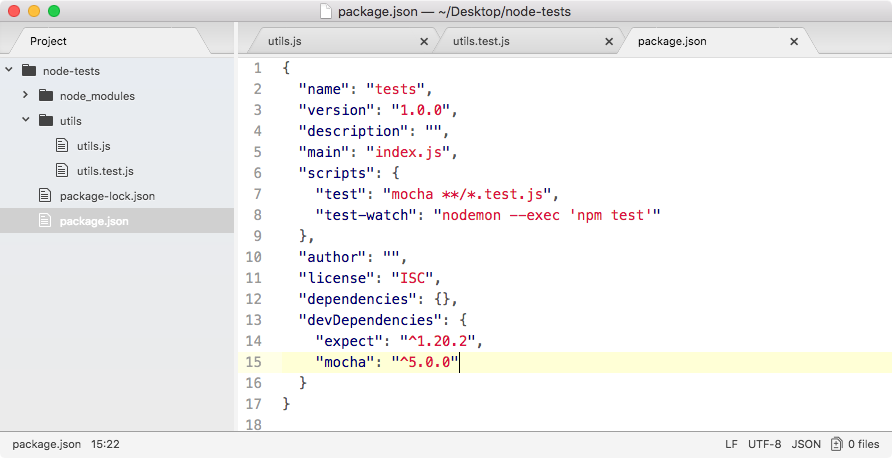
We have both expect and Mocha. Now, inside our utils.test file, we can kick things off by loading in the library and making our first assertions using expect. Up at the very top of the file, we'll load in the library, creating a constant called expect and require('expect'), just like this:
const expect = require('expect');
Now, we can get started by swapping out the if condition in the utils.test.js code with a call to expect instead:
const expect = require('expect');

const utils = require('./utils');

it('should add two numbers', () => {
  var res = utils.add(33, 11);

  // if(res !== 44) {
  //   throw new Error(`Expected 44, but got ${res}.`)
  //}
});
As you saw in the example on assertion/expect page, we'll start all our assertions by calling expect as a function passing in the value we want to make assertions about. In this case, that is the res variable:
const expect = require('expect');

const utils = require('./utils');

it('should add two numbers', () => {
  var res = utils.add(33, 11);

  expect(res)
  // if(res !== 44) {
  //   throw new Error(`Expected 44, but got ${res}.`)
  //}
});
Now, we can assert all sorts of things. In this case, we want to assert that the value is equal to 44. We'll make our assertion toBe. On the documentation page, it looks like this:
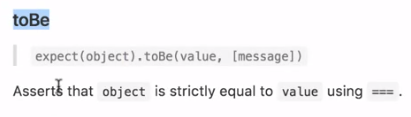
This asserts that a value equals another value and that's exactly what we want. We assert that our value passed into expect equals another value using toBe, passing that value in as the first argument. Back inside Atom, we can go ahead and use this assertion, .toBe, and we're expecting the result variable to be the number 44, just like this:
const expect = require('expect');

const utils = require('./utils');

it('should add two numbers', () => {
  var res = utils.add(33, 11);

  expect(res).toBe(44);
  // if(res !== 44) {
  //   throw new Error(`Expected 44, but got ${res}.`)
  //}
});
Now we have our test case and it should work exactly as it did with the if condition.
To prove it does work, let's move into the Terminal and use the clear command to clear the Terminal output. Now we can run that test-watch script as shown in the following command line:
npm run test-watch
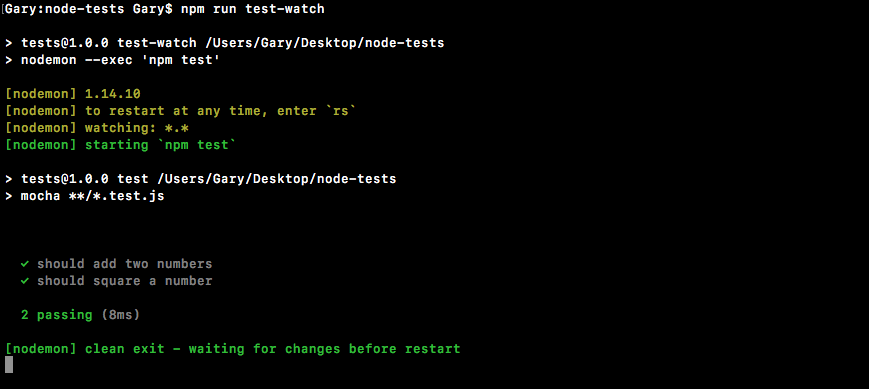
As shown in the preceding code output, we get our two tests passing just like they did before. Now we were to change 44 to some other value that would throw an error like 40:
const expect = require('expect');

const utils = require('./utils');

it('should add two numbers', () => {
  var res = utils.add(33, 11);

  expect(res).toBe(40);
  // if(res !== 44) {
  //   throw new Error(`Expected 44, but got ${res}.`)
  //}
});
We save the file, and we'll get an error and the expect library will generate useful error messages for us:
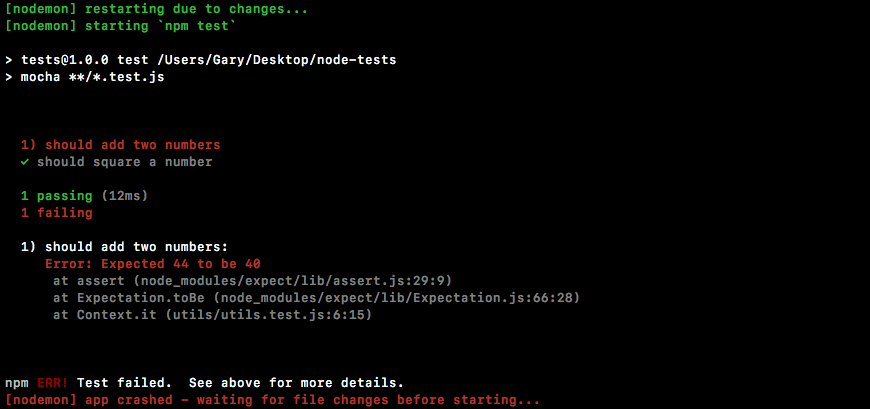
It's saying that we Expected 44 to be 40. Clearly that's not the case, so an error gets thrown. I'll change this back to 44, save the file, and all of our tests will pass.