
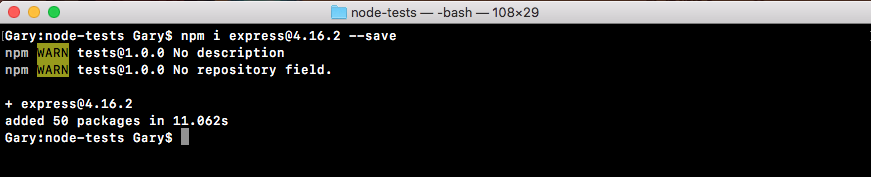
We'll start with installing Express. We'll use npm i, which is short for install, to install Express. Remember, you could always replace install with i. We'll grab the most recent version, @4.16.2. Now, we'll be using the save flag as opposed to the save dev flag that we've used for testing in the previous chapter:
npm i express@4.16.2 --save
This command is going to install Express as a regular dependency, which is exactly what we want:
We need Express when we deploy to production, whether it's Heroku or some other service.
Back inside the app, if we open up package.json, we can see we have dependencies which we've seen before, and devDependencies which is new to us:
  "devDependencies": {
    "expect": "^1.20.2",
    "mocha": "^3.0.0"
  },
  "dependencies": {
    "express": "^4.14.0"
  }
}
This is how we can break up the different dependencies. From here, we'll make a server folder inside the root of the project where we can store the server example as well as the test file. We'll make a directory called server. Then inside server, we'll make a file called server.js.
The server.js file will contain the actual code that starts up our server. We'll define our routes, we'll listen to a port, all that stuff is going to happen in here. This is what we had before for the previous server chapter. In server.js, we'll add const express, and this will get equal to the require ('express') return result:
const express = require('express');
Next up, we can make our application by creating a variable called app and setting it equal to a call to express:
const express = require('express');

var app = express();
Then we can start configuring our routes. Let's set up just one for this section, app.get:
const express = require('express');

var app = express();

app.get
This will set up an HTTP GET handler. The URL will be just / (forward slash), the root of the website. And when someone requests that, for the moment we'll specify a really simple string as the return result. We get the request and the response object like we do for all of our express routes. Yo respond, we'll call res.send, sending back the string Hello World!:
app.get('/', (req, res) => {
  res.send('Hello world!');
});
The last step in the process will be to listen on a port using app.listen. We'll bind to port 3000 by passing it in as the first and only argument:
app.get('/', (req, res) => {
  res.send('Hello world!');
});

app.listen(3000);
With this in place, we are now done. We have a basic Express server. Before we move on to explore how to test these routes, let's start it up. We'll do that by using the following command:
node server/server.js
When we run this, we don't get any logs because we haven't added a callback function for when the server starts, but it should indeed be up.
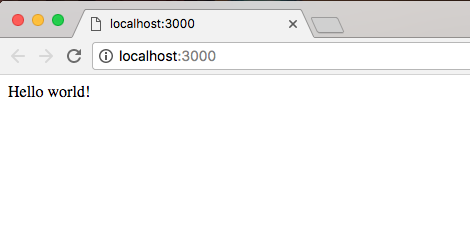
If we go over to Chrome and visit localhost:3000, we get Hello world! printing to the screen:
Now, we are ready to move on to start testing our Express application.