
We'll serve our HTML page in the Express app using a piece of Express middleware. Middleware lets us configure how our Express application works, and it's something we'll use extensively throughout the book. For now, we can think of it kind of like a third-party add-on.
In order to add some middleware, we'll call app.use. The app.use takes the middleware function we want to use. In our case, we'll use a built-in piece of middleware. So inside server.js, next to the variable app statement, we'll provide the function off of the express object:
const express = require('express');

var app = express();

app.use();
We will be making our own middleware in the next chapter, so it'll become clear exactly what's getting passed into use in a little bit. For now, we'll pass in express.static and to call it as a function:
var app = express();

app.use(express.static());
Now express.static takes the absolute path to the folder you want to serve up. If we want to be able to serve up /help, we'll need to provide the path to the public folder. This means we need to specify the path from the root of our hard drive, which can be tricky because your projects move around. Luckily we have the __dirname variable:
app.use(express.static(__dirname));
This is the variable that gets passed into our file by the wrapper function we explored. The __dirname variable stores the path to your projects directory. In this case, it stores the path to node-web-server. All we have to do is concatenate /public to tell it to use this directory for our server. We'll concatenate using the plus sign and the string, /public:
app.use(express.static(__dirname + '/public'));
With this in place, we are now done. We have our server set up and there's nothing else to do. Now we should be able to restart our server and access /help.html. We should now see the HTML page we have. In the Terminal we can now start the app using nodemon server.js:
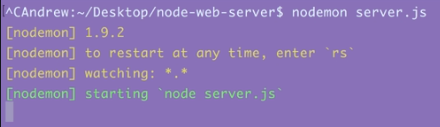
Once the app is up and running we can visit it in the browser. We'll start by going to localhost:3000:
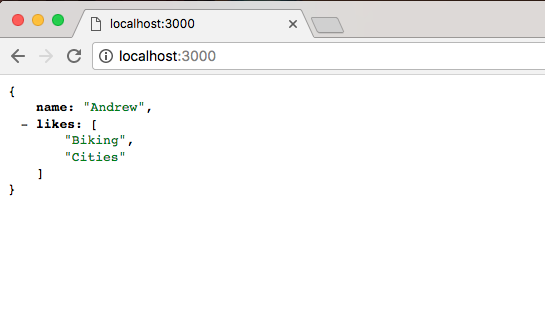
Here we get our JSON data, which is exactly what we expect. And if we change that URL to /help.html we should get our Help Page rendering:
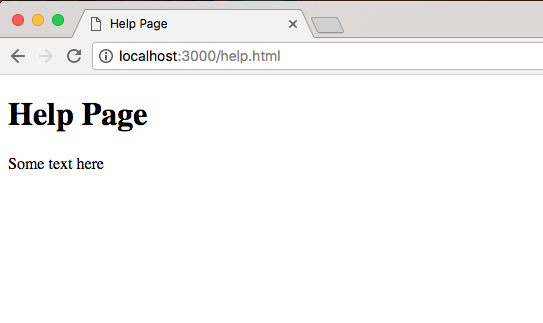
And that is exactly what we get, we have our Help Page showing to the screen. We have the Help Page title as the head, and the Some text here paragraph following as body. Being able to set up a static directory that easily has made Node the go-to choice for simple projects that don't really require a backend. If you want to create a Node app for the sole purpose of serving up a directory you can do it in about four lines of code: the first three lines and the last line in the server.js file.