
In server.test.js, just following the comments, we need to start things out by calling it. it is the only way to make a new test:
// Make a new test
// assert 200
// Assert that you exist in users array
it('should return my user object')
Then we'll specify the callback function. It will get past the done argument because this one is going to be asynchronous:
// Make a new test
// assert 200
// Assert that you exist in users array
it('should return my user object', (done) => {

});
To kick things off inside the test case, we'll be calling requests just like we did in hello world response, passing in the Express application:
it('should return my user object', (done) => {
  request(app)
});
Now we can set up the actual call. In this case, we're just making a call, a get request, to the following URL, inside of quotes, /users:
it('should return my user object', (done) => {
  request(app)
    .get('/users')
});
Next up, we can start making our assertions and the first thing we're supposed to assert that the status code is at 200, which is the default status code used by Express. We can assert that by calling .expect and passing in the status code as a number. In this case, we'll pass in 200:
it('should return my user object', (done) => {
  request(app)
    .get('/users')
    .expect(200)
});
After this, we'll use a custom expect assertion. This means that we'll call expect passing in a function and use toInclude inside it to make the assertion that you exist in that users array. We'll call expect the method passing in the function, and that function will get called with the response:
it('should return my user object', (done) => {
  request(app)
    .get('/users')
    .expect(200)
    .expect((res) => {

    })
});
This will let us make some assertions about the response. What we're actually going to do is make an assertion using expect. We'll expect something about the response body. In this case, we'll be checking that it includes using toInclude, our user object:
it('should return my user object', (done) => {
  request(app)
    .get('/users')
    .expect(200)
    .expect((res) => {
      expect(res.body).toInclude()

    })
});
Now remember you can call toInclude on both arrays and objects. All we do is pass in the item we want to confirm is in the array. In our case, it's an object where the name property equals Andrew and the age property equals 25, which is what we used inside server.js:
    expect(res.body).toInclude({
      name: 'Andrew',
      age: 25
    })
Now that we have our custom expect call in place, at the very bottom we can call .end. This is going to wrap up the request and we can pass in done as the callback so it can properly fire off those errors if any actually occurred:
    expect(res.body).toInclude({
      name: 'Andrew',
      age: 25
    })
  })
  .end(done);
With this in place, we are ready to get going. We can save the file.
Inside the Terminal, we can see the tests are indeed rerunning:
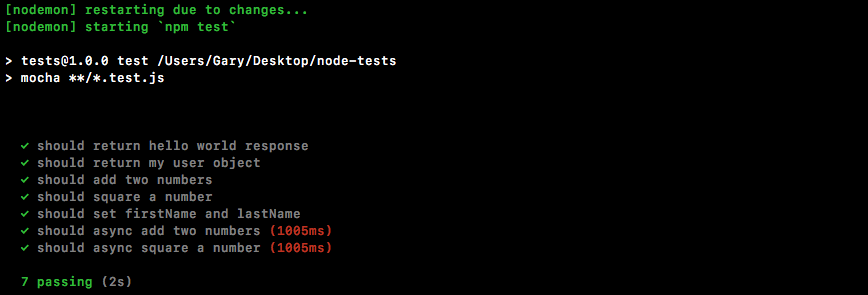
We have a test as shown in the previous screenshot, should return my user object. It is passing.
Now we can confirm that we'll not go crazy and test the wrong thing by just messing up the data. We will now add a lowercase a after the uppercase one in Andrew in server.js, as shown here:
app.get('/users', (req, res) => {
  res.send([{
    name: 'Mike',
    age: 27
  }, {
    name: 'Aandrew',
    age: 25
  }, {
    name: 'Jen',
    age: 26
  }])
});
The test is going to fail. We can see that in the Terminal:
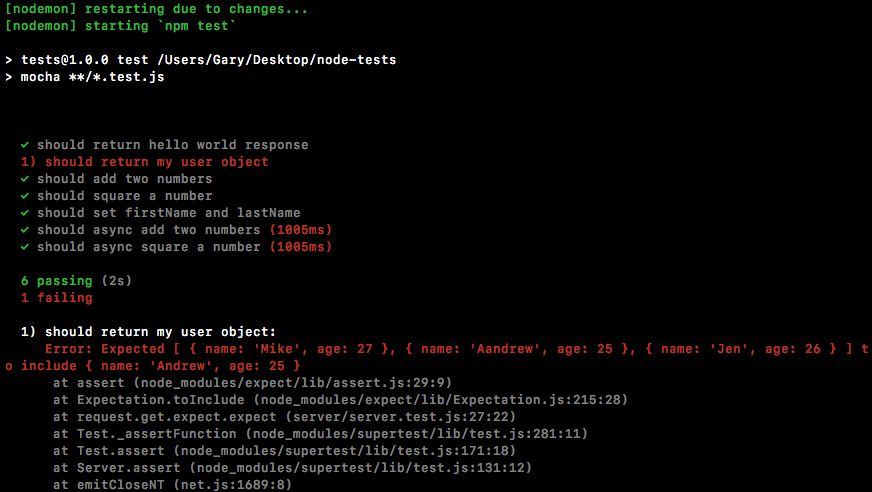
We have done testing for our Express apps. We'll now talk about one more way we can test our Node code.