
In order to make our first commit and save our first thing into the Git repository, we'll run git commit and provide one flag, the m flag, which is short message. After that inside quotes, we can specify the message that we want to use for this commit. It's really important to use these messages so when someone's digging through the commit history, the list of all the changes to the project can be seen, which are actually useful. In this case, Initial commit is always a good message for your first commit:
git commit -m 'Initial commit'
I'll go ahead and hit enter and as shown in the following screenshot, we see all of the changes that happened to the repo:
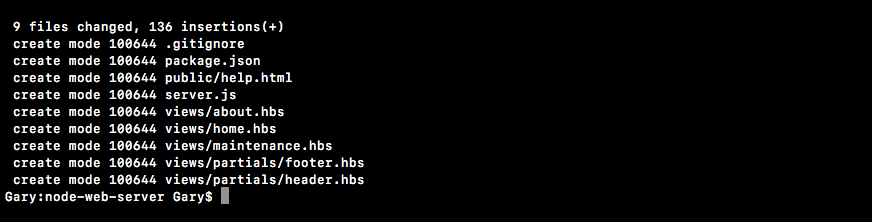
We have created a bunch of new files inside of the Git repository. These are all of the files that we told Git we want to keep track of and this is fantastic.
We now have our very first commit, which essentially means that we've saved the project at its current state. If we make a big change to server.js, messing stuff up to not be able figure out how to get it back to the way it was, we can always get it back because we made a Git commit. Now we'll explore some more fancy Git things in the later sections. We'll be talking about how to do most of the things you want to do with Git, including deploying to Heroku and pushing to GitHub.