
Before we add this URL into our app and use the request library, we need to find the actual URL which we can use to make the request. For this, we'll copy it and paste it into a new tab:

Now, we do need to swap out some of the URL information. For example, we have our API key that needs to get replaced, we also have latitude and longitude. Both of those need to get replaced with the real data. Let's get started with that API key first since we already copy and pasted it inside of app.js. We'll copy the API key, and replace the letters [key] with the actual value:

Next up, we can grab a set of longitude and latitude coordinates. For this, go inside the Terminal and run our app, node app.js, and for the address we can use any zip let's say, 19146 to fetch the latitude and longitude coordinates.
Next up, we'll copy these and place into the URL where they belong. The latitude goes between the forward slash and the comma, and the longitude will go after the comma, as shown here:

Once we have a real URL with all of those three pieces of info swapped out for actual info, we can make the request, and what we'll get back is the forecast information:
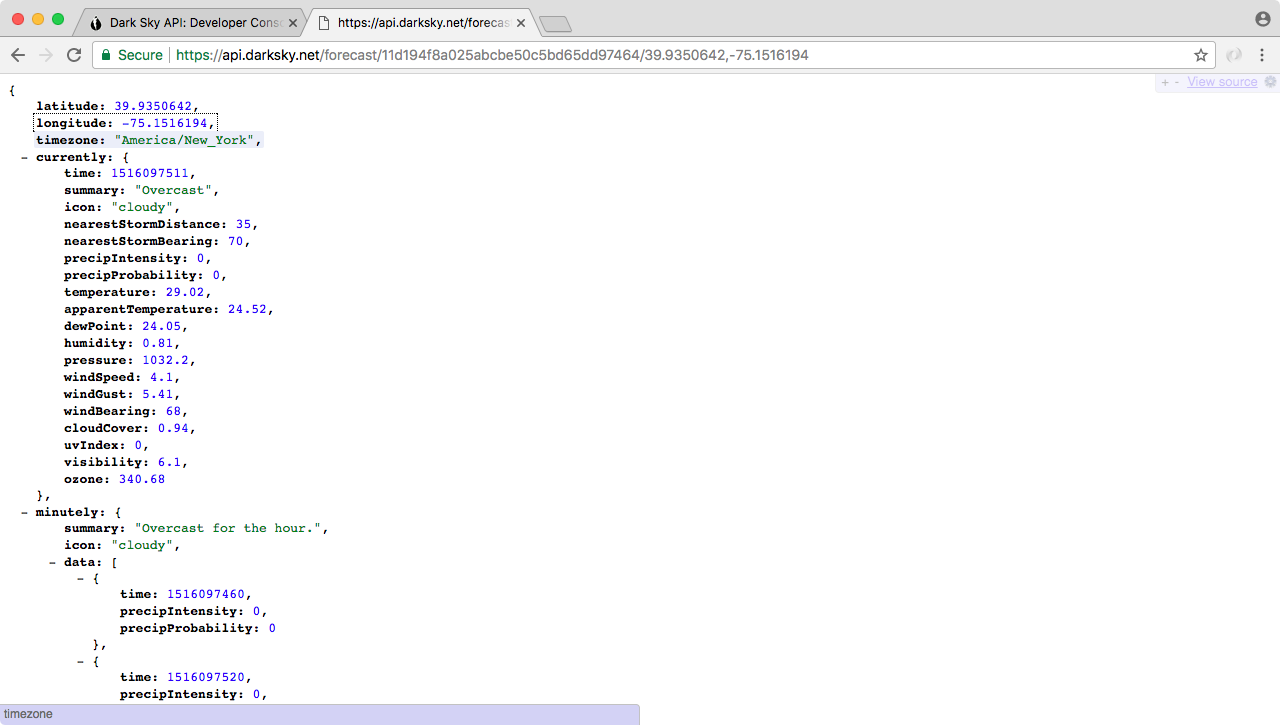
Now the data we get back, it is overwhelming. We have a forecast by the minute, we have forecasts by the hour, by the week, by the day, all sorts of information, it's really useful but it's also super overwhelming. In this chapter, we'll be using the first object that is currently. This stores all of the current weather information, things like the current summary which is clear, the temperature, the precipitation probability, the humidity, a lot of really useful information is sitting in it.
In our case, what we really care about is the temperature. The current temperature in Philadelphia is shown 84.95 degrees. This is the kind of information we want to use inside of our application, when someone searches for the weather in a given location.