
In this section we'll learn how to handle errors inside of your callback functions, because as you might guess things don't always go as planned. For example, the current version of our app has a few really big flaws, if I try to fetch weather using node app.js with the a flag for a zip that doesn't exist, like 000000, the program crashes, which is a really big problem. It's going off. It's fetching the data, eventually that data will come back and we get an error, as shown here:
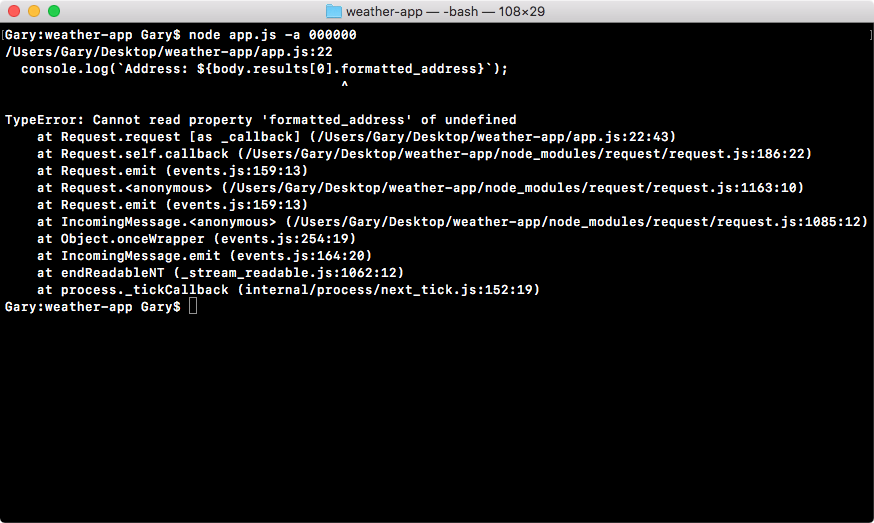
It's trying to fetch properties that don't exist, such as body.results[0].formatted_address is not a real property, and this is a big problem.
Our current callback expects everything went as planned. It doesn't care about the error object, doesn't look at response codes; it just starts printing the data that it wants. This is the happy path, but in real world node apps we have to handle errors as well otherwise the applications will become really useless, and a user can get super frustrated when things don't seem to be working as expected.
In order to do this, we'll add a set of if/else statements inside of the callback. This will let us check certain properties to determine whether or not this call, the one to our URL in the app.js, should be considered a success or a failure. For example, if the response code is a 404, we might want to consider that a failure and we'll want to do something other than trying to print the address, latitude and longitude. If everything went well though, this is a perfectly reasonable thing to do.
There are two types of errors that we'll worry about in this section. That will be:
- The machine errors, things like being unable to connect to a network, these are usually will show up in the error object, and
- The errors coming from the other server, the Google server, this could be something like an invalid address
In order to get started, let's take a look at what can happen when we pass a bad data to the Google API.